CyberLink AudioDirector Ultra is a premium professional audio editing software for the Windows platform. Designed specifically to meet the diverse needs of users engaged in a variety of creative activities, this robust application is particularly useful for enhancing and managing audio for a wide range of purposes.
OVERVIEW OF CYBERLINK AUDIODIRECTOR ULTRA
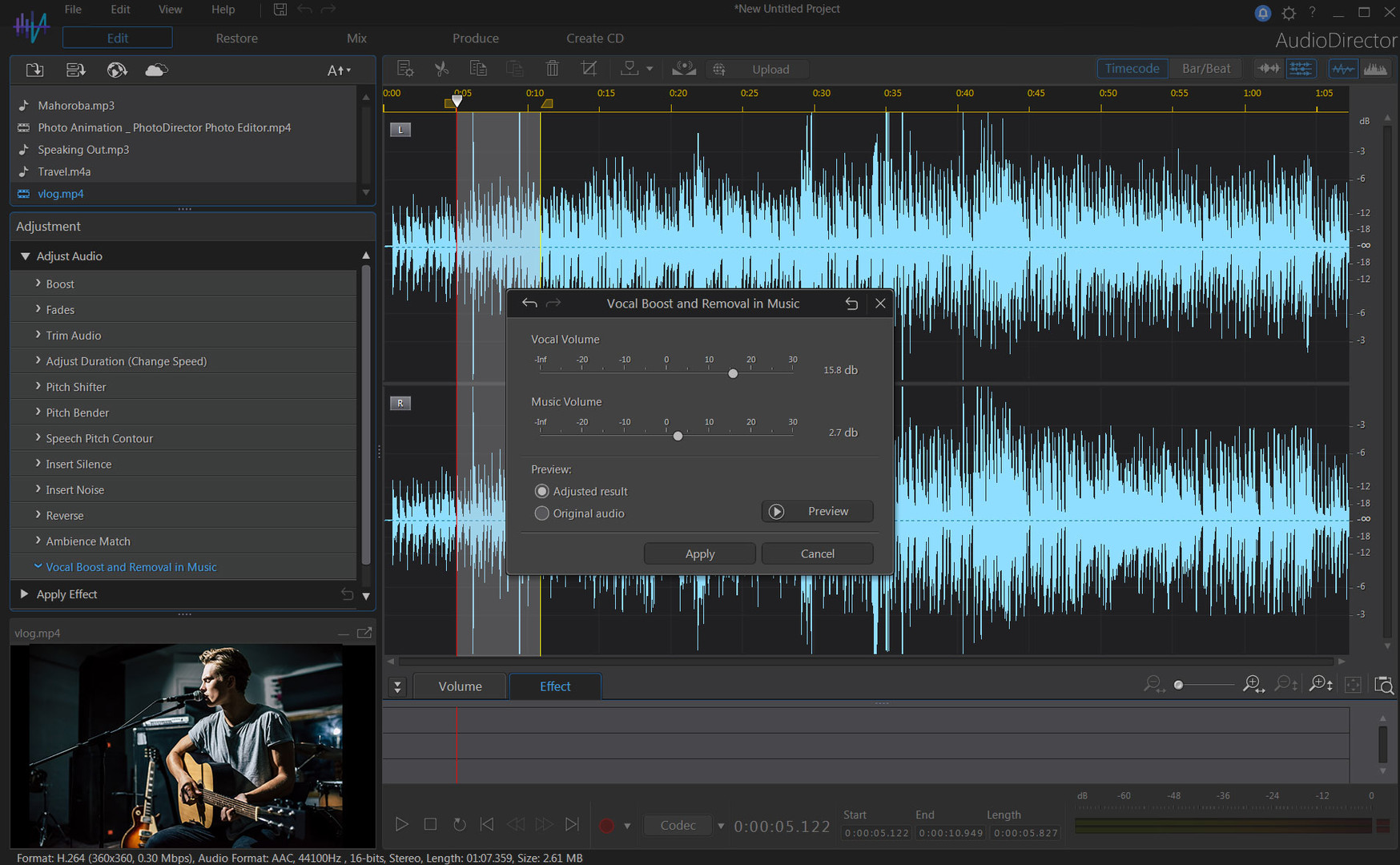
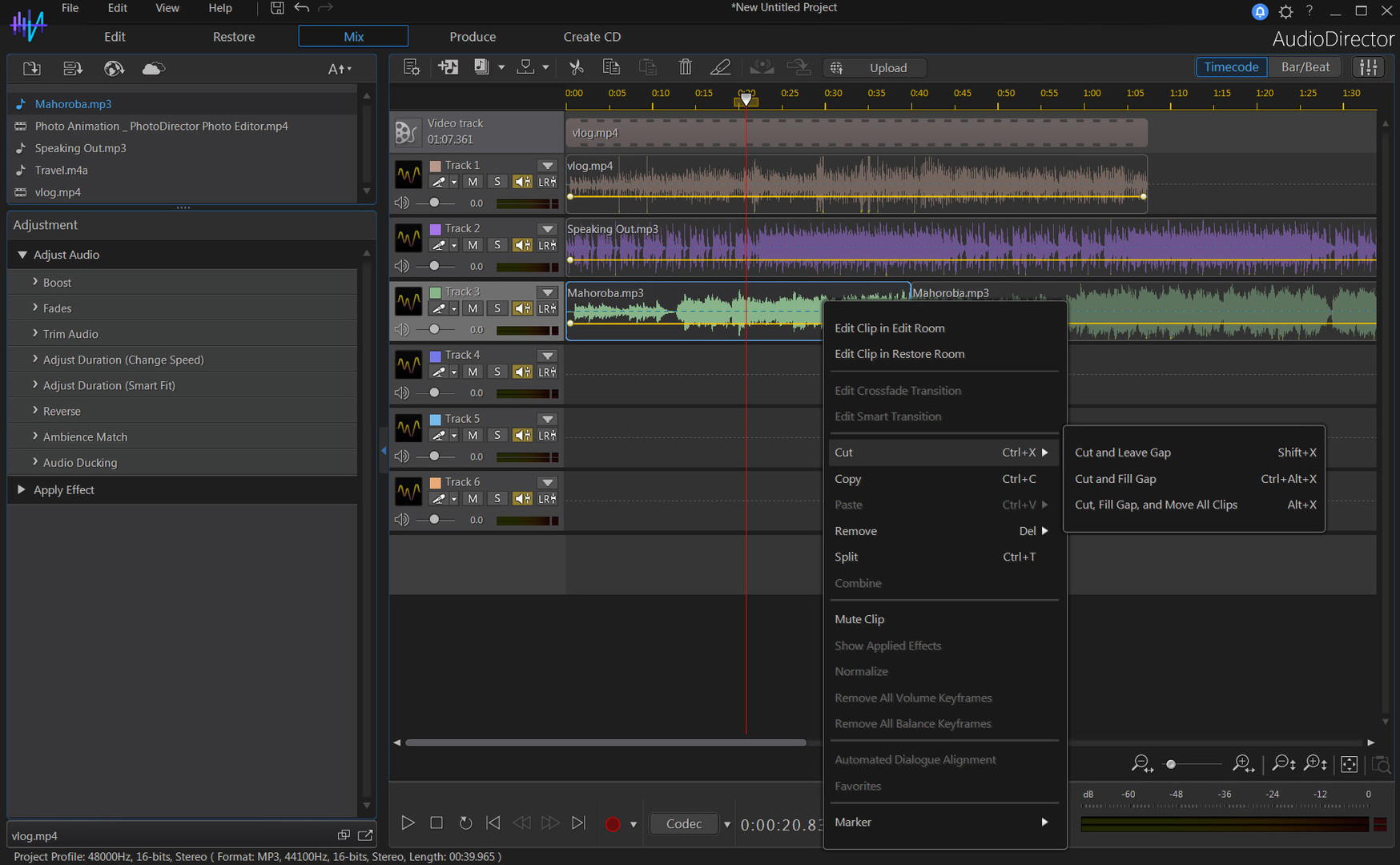
CyberLink AudioDirector Ultra is a comprehensive and professional audio editing software developed by CyberLink Corporation. Designed for a variety of applications, this advanced audio editing tool offers a wide range of features to enhance and manipulate audio recordings accurately and efficiently. One of the highlights of AudioDirector Ultra is its powerful suite of audio editing tools. Users can perform standard editing functions such as cut, copy, paste, and delete, providing a versatile audio creation platform that meets specific project requirements. The software’s intuitive interface makes it accessible to both beginners and experienced audio editors.
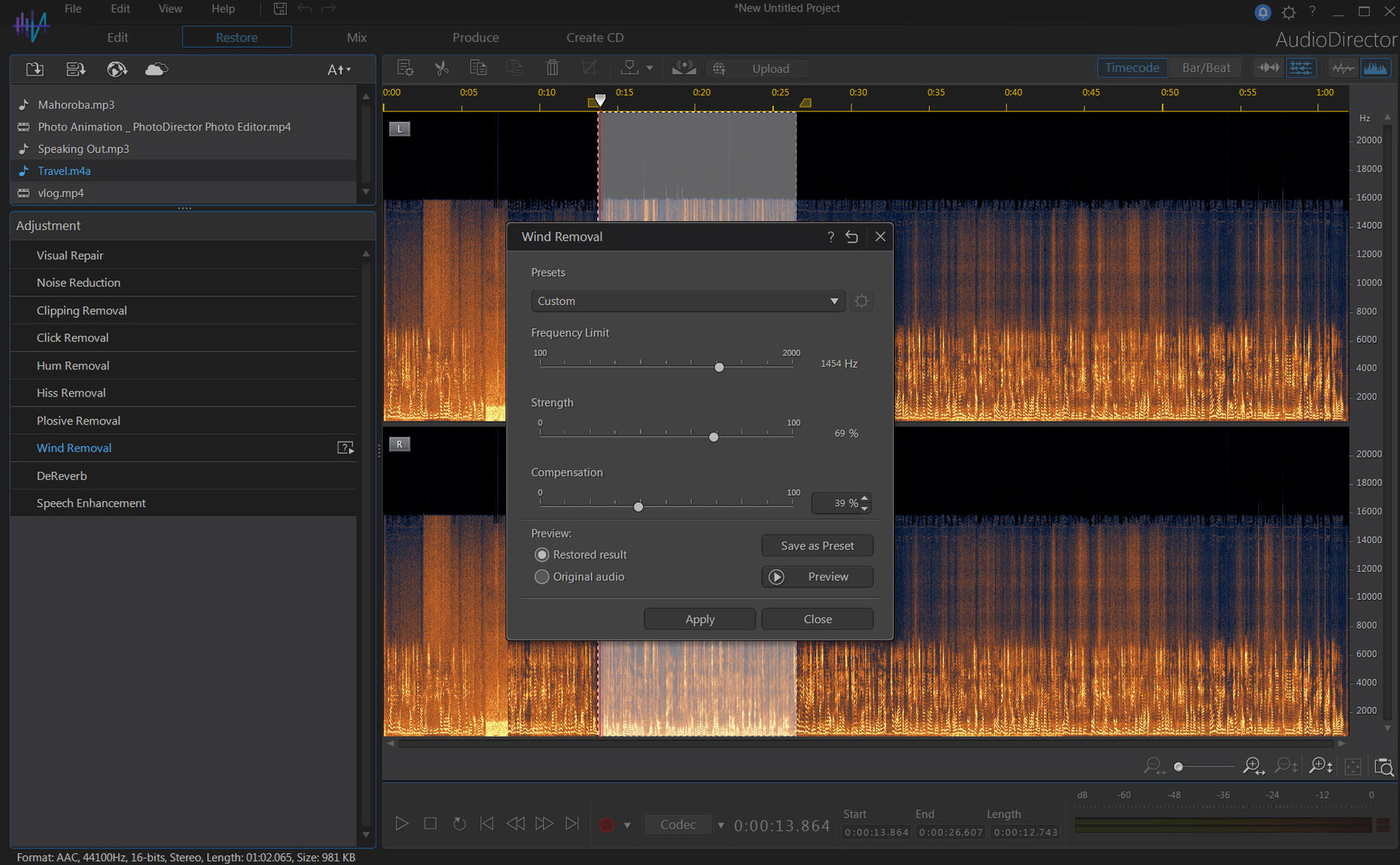
Audio recovery capabilities set CyberLink AudioDirector Ultra apart. It allows users to clean up audio files by reducing noise, removing distortion, and improving the overall sound quality. This feature is especially useful for professionals working on projects where clean sound is critical, such as high-quality video, podcasts, and music production. The software supports multi-track editing and allows users to work with multiple tracks simultaneously. It’s useful for complex projects where you can mix different audio sources and create a flexible environment for creative audio manipulation.
A rich collection of built-in audio effects and filters are available in AudioDirector Ultra, allowing users to add a creative touch or solve specific audio challenges. These effects enhance the overall audio experience and contribute to the versatility of the software to meet various audio editing needs. AudioDirector Ultra excels in its support for ambient sounds and allows users to create and edit audio in stunning formats. This is especially useful for video projects that require a great audio experience to complement the visual elements.
The software is tightly integrated with CyberLink’s video editing solutions, simplifying the workflow of video and audio editing users. This integration makes it easy to sync and edit audio alongside video elements. In terms of format support, CyberLink AudioDirector Ultra includes a wide variety of audio formats and allows compatibility with various file types. This flexibility allows users to work with audio content from a variety of sources without compatibility issues.
FEATURES OF CYBERLINK AUDIODIRECTOR ULTRA
ADVANCED AUDIO EDITING TOOLS
CyberLink AudioDirector Ultra is a professional audio editing software that provides users with a wide range of tools for modifying and enhancing audio. It supports multi-track editing, making it easy to manage complex audio projects with multiple layers. Users can precisely cut, trim, mix, and arrange tracks while maintaining excellent sound quality. The software’s intuitive interface allows beginners and experienced audio engineers to edit without any hassle, while real-time preview ensures quick adjustments and accurate results.
SEAMLESS INTEGRATION WITH VIDEO EDITING
One of AudioDirector Ultra’s most powerful features is its seamless integration with video editing workflows, especially with CyberLink’s PowerDirector. This feature allows users to ensure perfect synchronization of audio and video, and edit audio directly alongside video projects. Users can import video files, edit their audio, and then re-export them without having to switch between different software. This makes the tool especially useful for filmmakers, YouTubers, and content creators who want to achieve a tight audio-video connection.
POWERFUL RESTORATION AND EDITING FEATURES
AudioDirector Ultra includes restoration tools designed to clean up problematic audio recordings. It can remove background noise, hiss, hiss, clicks, and other unwanted noise with minimal effort. The program uses advanced audio correction algorithms without reducing the clarity or distortion of the sound. This feature is especially useful for improving live environments, interviews, or old audio files that need improvement. With tools such as spectral correction and noise reduction, AudioDirector ensures professional-quality sound in every project.
RICH EFFECTS AND SOUND DESIGN OPTIONS
In addition to editing tools, AudioDirector Ultra comes with a wide range of creative effects and sound design options. Users can use echo, reverb, frequency shift, equalization, and dynamic range compression to create a unique sound experience. The software allows you to mix ambient sounds to create 360-degree sound, which is essential for film and VR projects. Preset effects simplify the workflow for beginners, while advanced users can fine-tune each parameter to precisely define the structure and atmosphere of the sound.
STREAMLINED WORKFLOW AND REAL-TIME PROCESSING
CyberLink designed AudioDirector Ultra to keep you productive. The software supports real-time audio editing, which means users can apply effects and hear the results immediately. Batch processing speeds up the workflow by allowing you to edit multiple files at once. Timeline-based editing and intuitive controls make navigation easy, while customizable buttons help simplify repetitive tasks. These features provide a time-saving solution for professionals working under tight deadlines.
WIDE FORMAT SUPPORT AND EXPORT FLEXIBILITY
AudioDirector Ultra supports a wide range of audio and video formats, allowing it to be compatible with almost any project. Users can import WAV, MP3, M4A, WMA, and other popular file types, as well as directly edit embedded audio in video formats such as MP4, MOV, and AVI. The export options are equally flexible, allowing for high-quality rendering in multiple formats depending on the needs of the project. This versatility makes it a reliable choice for music producers, podcasters, and video editors.
SYSTEM REQUIREMENTS
- Supported OS: Windows 11/10/8.1/7
- Processor: Intel Core™ i-series or AMD Phenom® II and above
- Memory (RAM): 4 GB required (8 GB or above recommended)
- Hard Disk Space: 1 GB for the program installation
- Display Resolution: 1024 x 768, 16-bit color or above