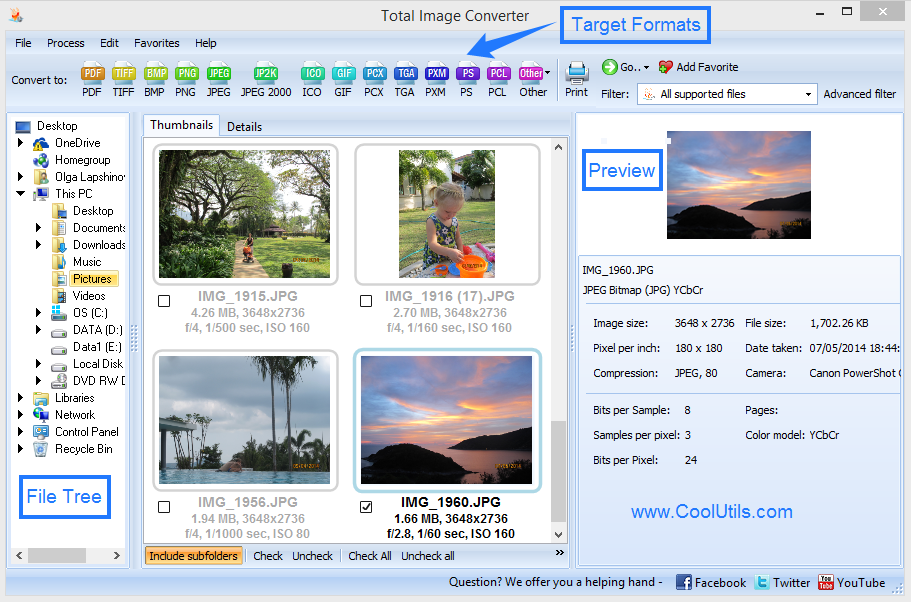
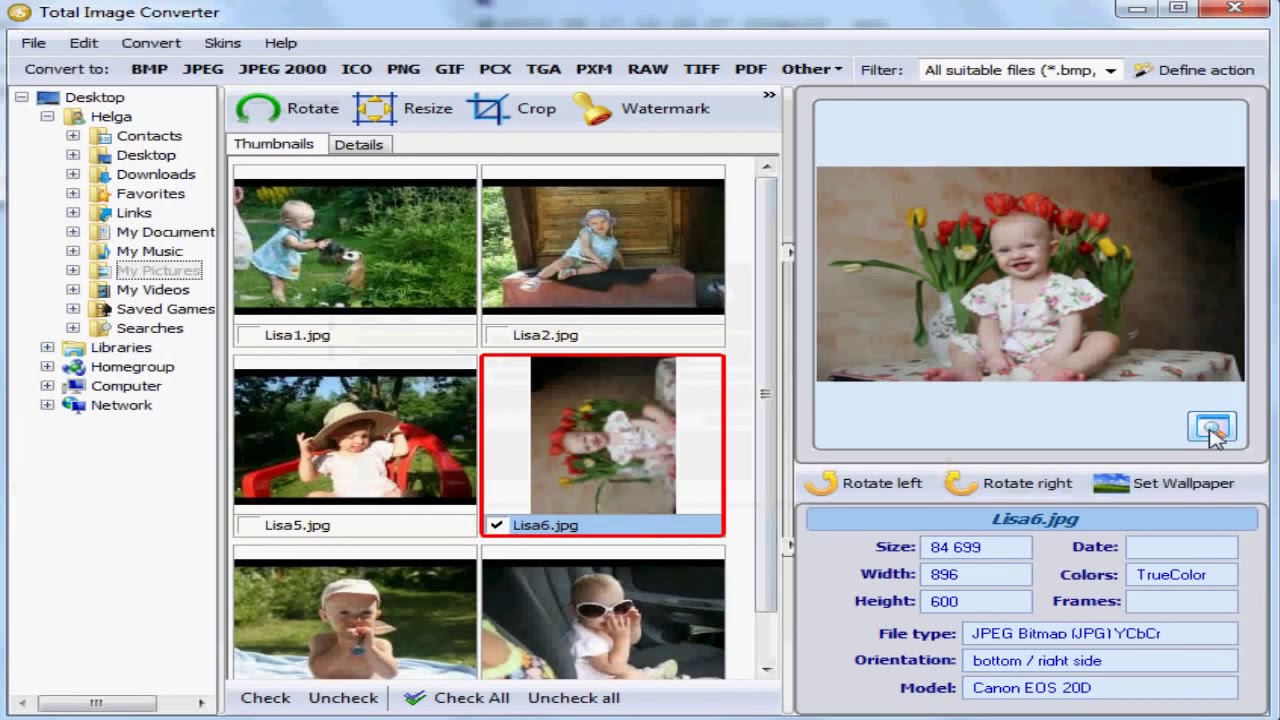

Total Image Converter is a versatile image conversion tool that allows users to batch convert, resize, crop, rotate, and rename images. It supports a wide range of formats, including JPEG, PNG, TIFF, BMP, GIF, and RAW files. With its user-friendly interface, automation features, and batch processing capabilities, it is an efficient solution for photographers, designers, and users who need to manage large image collections.
OVERVIEW OF COOLUTILS TOTAL IMAGE CONVERTER
Total Image Converter is a multifunctional software for efficient conversion and management of digital images. Developed for Windows users, it supports a wide range of image formats, including JPEG, PNG, TIFF, BMP, GIF and various RAW camera file types. This software is especially useful for users who need to process a large number of images quickly and accurately.
In addition to simple format conversion, Total Image Converter offers a variety of editing and adjustment tools. Users can resize, crop, rotate, and rename images during conversion. It also allows you to adjust brightness, contrast, and color balance, making it possible to enhance images without the need for separate image editing software.
One of its main advantages is batch processing, which allows users to convert and edit multiple images at once. This saves time and ensures consistency for large image collections. The program includes automation features that simplify repetitive tasks, making it suitable for both personal and professional use.
In addition, Total Image Converter offers options to change output settings such as preserving image watermarks and metadata, and changing resolution and quality. The simple interface makes it easy for beginners to use, while offering enough flexibility for advanced users.
Overall, Total Image Converter is a convenient and reliable tool for anyone looking to simplify image conversion and basic editing tasks. The combination of format support, batch processing, and built-in editing features makes it a convenient, all-in-one solution for managing digital images.
FEATURES OF COOLUTILS TOTAL IMAGE CONVERTER
WIDE FORMAT COMPATIBILITY
Total Image Converter supports a wide range of image formats, including JPEG, PNG, TIFF, BMP, GIF, ICO, and various RAW camera files. This flexibility allows users to convert images to different formats without compatibility issues, making it suitable for a wide range of workflows.
BATCH IMAGE CONVERSION
This software allows users to convert multiple images at once, which significantly reduces manual work. Batch processing ensures consistency of large image batches, which is especially important for photographers, designers, and professionals who manage extensive image libraries.
BUILT-IN EDITING TOOLS
Total Image Converter includes essential image editing features such as cropping, resizing, rotating, and flipping images. It also allows users to adjust brightness, contrast, and color settings, and provides basic enhancement options during the conversion process.
FILE RENAMING AND ORGANIZING
Users can batch rename multiple files using customizable naming rules. This feature helps you organize your photo collection efficiently and makes it easy to manage and sort multiple files after conversion.
WATERMARKING AND METADATA SUPPORT
This tool allows users to add text or image watermarks to protect their digital content. It also allows users to save or edit metadata such as EXIF information, so that they can preserve or change important information about their images when needed.
OUTPUT SETTINGS AND AUTOMATION
Total Image Converter offers flexible output options, including control over image quality, resolution, and compression. Users can also save conversion settings and automate repetitive tasks to simplify the workflow for future use.
SYSTEM REQUIREMENTS
- Supported OS: Windows 11/10/8.1/7
- Memory (RAM): 1 GB of RAM or more is required
- Hard Disk Space: 100 MB or more required