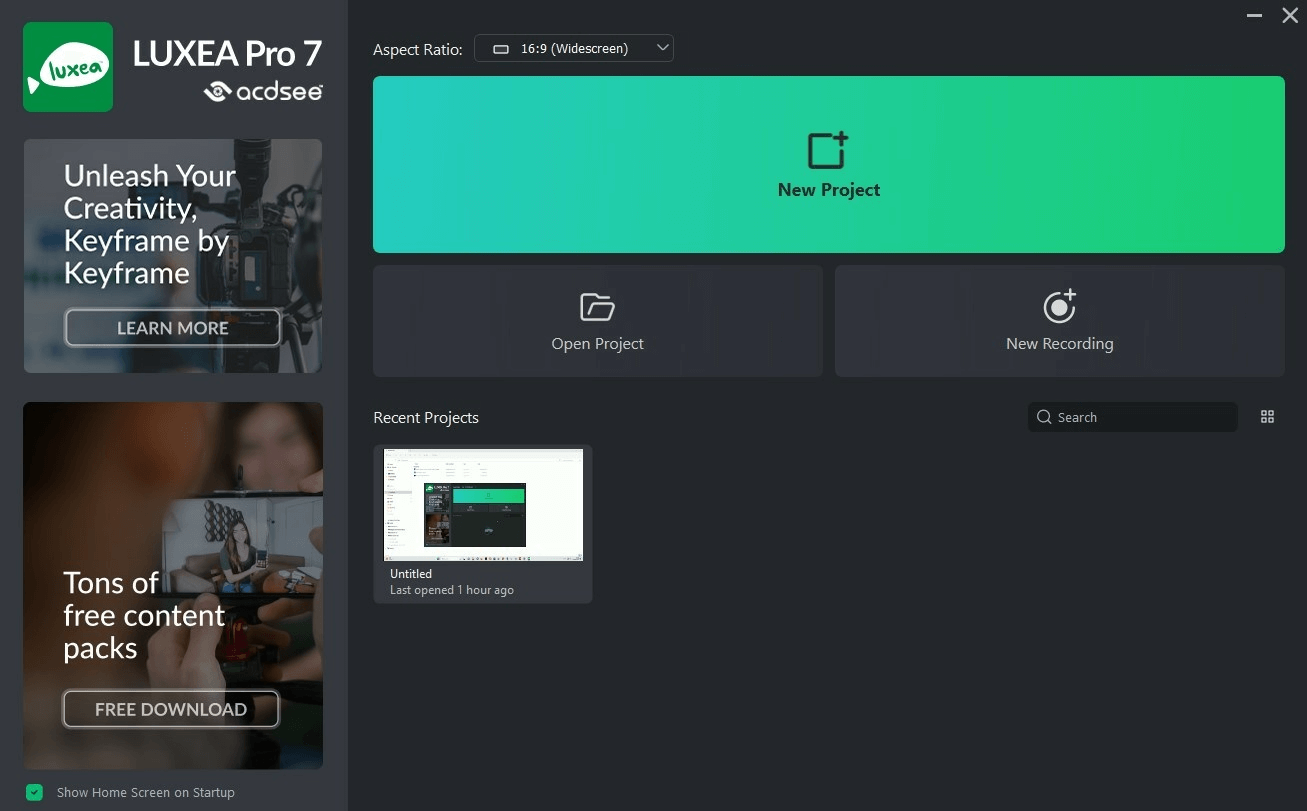
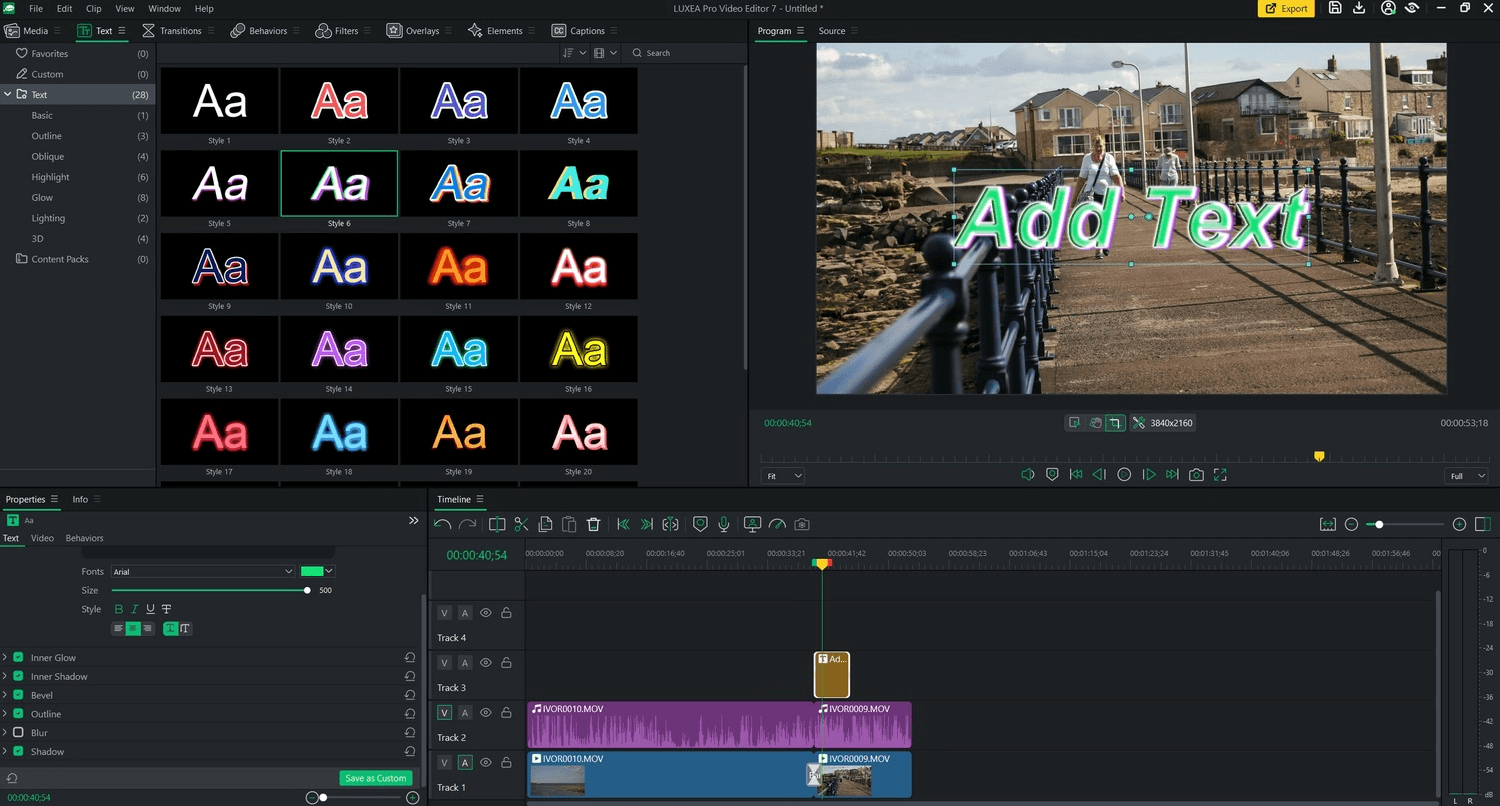

ACDSee Luxea Pro is a professional video editing software for the Windows operating system. It offers a comprehensive video editing tool with advanced features for creating, editing, and enhancing videos. Luxea Video Editor has everything you need to record and edit videos like Camtasia without the distraction.
OVERVIEW OF ACDSEE LUXEA PRO VIDEO EDITOR
ACDSee Luxea Pro Video Editor is a complete professional video editing software designed to meet the needs of videographers, filmmakers and content creators. With a user-friendly interface and a wide range of advanced features, Luxea Pro offers powerful tools for creating, editing and enhancing any complex video.
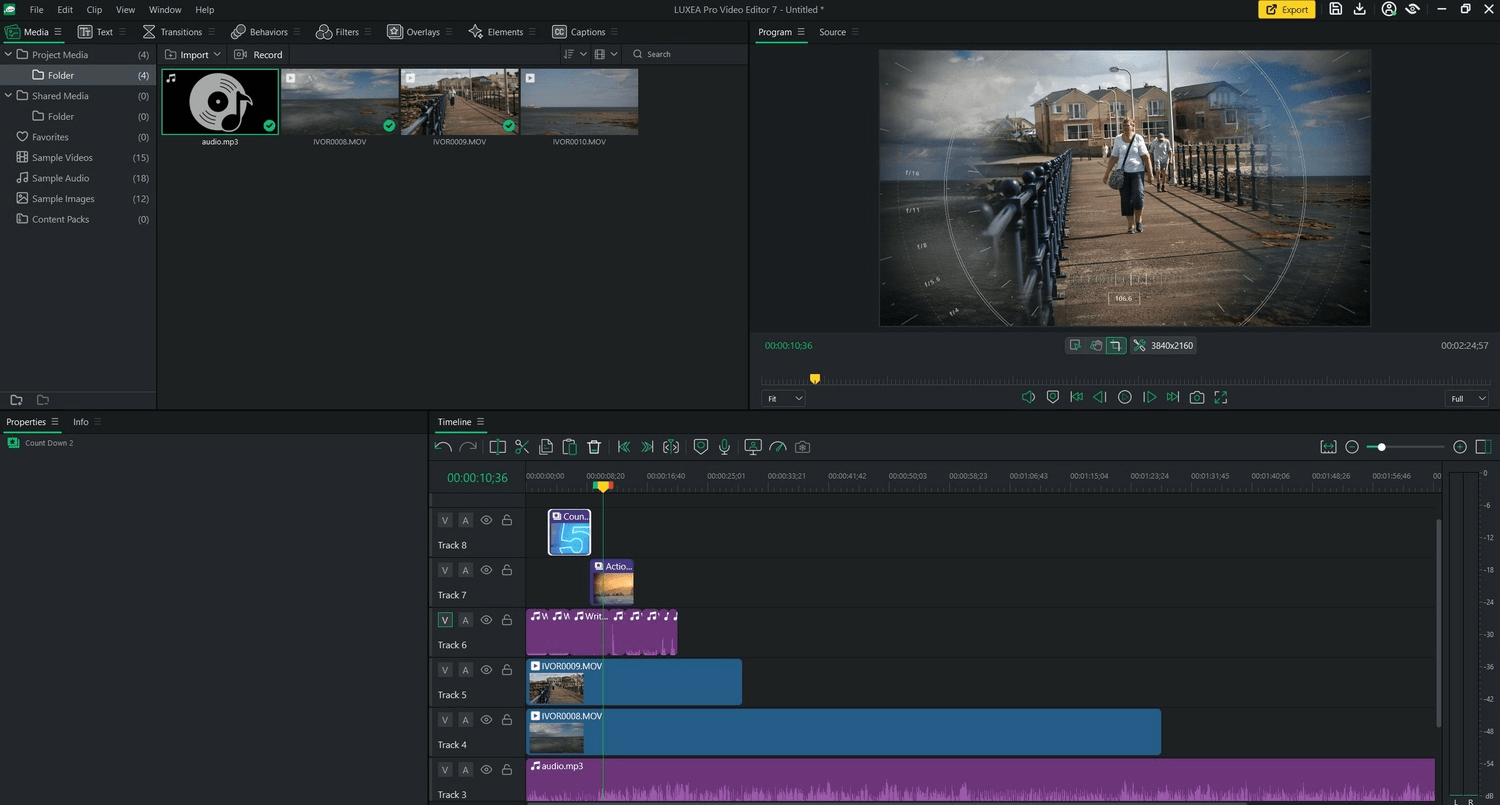
At the core of Luxea Pro is a timeline-based editing interface that allows users to easily organize and edit video clips, audio recordings, and visual effects. This timeline workflow provides editing flexibility and precision, allowing users to seamlessly transition, overlay, and synchronize audio and video elements.
One of the notable features of Luxea Pro is multi-track editing support that allows users to work with multiple video and audio tracks simultaneously. This ability is essential for complex editing tasks such as layering, blending, and creating sophisticated visual effects.
Luxea Pro offers a variety of advanced effects and transitions to enhance the look of your videos. Users can add creativity to their projects by choosing from a variety of filters, overlays, animations and more. Additionally, the software includes color grading and editing tools that allow you to adjust color balance, exposure, contrast, saturation, and other aspects of video color to create the desired look and feel.
FEATURES OF ACDSEE LUXEA PRO VIDEO EDITOR
PROFESSIONAL VIDEO EDITING
ACDSee Luxea Pro video editor offers a complete video editing and creation workspace. You can trim, split, place, and merge clips on the timeline, making it perfect for everything from quick social media videos to long presentations and creative projects.
MULTI-TRACK TIMELINE
This software uses a multi-track timeline that allows you to work with multiple video, audio, image, and text elements simultaneously. You can layer footage, synchronize different media, and create more complex compositions without having to edit each element individually.
TRANSITIONS AND VISUAL EFFECTS
Luxea includes a wide variety of transitions, filters, effects, and other visual tools to enhance the look of your projects. You can use these effects to create smoother transitions, add a specific visual style, or highlight important moments.
TEXT, TITLES, AND ANNOTATIONS
You can add titles, descriptions, subtitles, callout text, and other text elements directly to your videos. Customizable text options make it easy to introduce sections, explain content, display important information, or create professional-looking opening and closing screens.
AUDIO EDITING AND SOUND INSERTION
The editor provides tools to manage the audio included in your video projects. You can place background music, voiceovers, sound effects, and other audio tracks, and adjust their placement and volume. This helps create videos with clearer narratives and more balanced sound.
SCREEN RECORDING AND VIDEO CREATION
ACDSee Luxea combines video editing with screen recording capabilities, allowing you to record desktop activities for lessons, demonstrations, presentations, and training materials. After recording, you can import the footage directly into the editor and enhance it with captions, effects, transitions, and other elements.
SYSTEM REQUIREMENTS
- Supported OS: Windows 11/10/8.1/7
- Processor: Multi-core Intel Series or above, Xeon or AMD equivalent
- Memory (RAM): 1 GB of RAM or more is required
- Hard Disk Space: 100 MB or more required