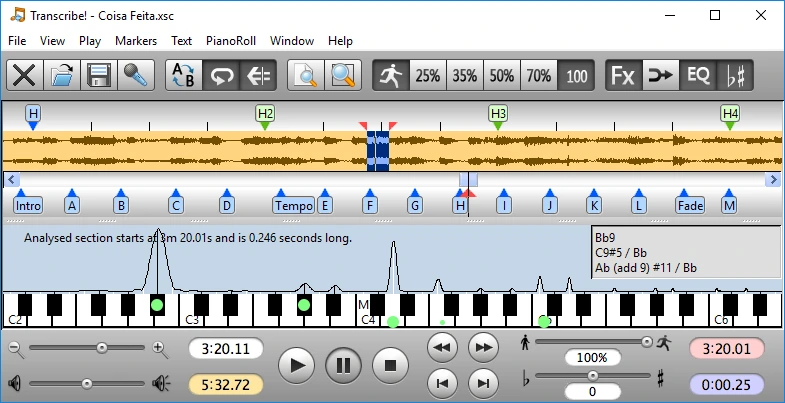
Transcribe is an audio and video transcription software designed to help users quickly and accurately transcribe spoken content into text. It offers playback controls, automatic speech recognition, keyboard shortcuts, timestamp support, and variable playback speed to simplify transcription. Ideal for journalists, researchers, students, podcasters, and professionals, Transcribe streamlines the transcription workflow with manual and AI tools while improving productivity.
OVERVIEW OF TRANSCRIBE
Transcribe is a powerful transcription software that helps users convert audio and video recordings into accurate, written text. Designed for journalists, researchers, students, legal professionals, content creators, and business users, the software combines intuitive playback tools with additional speech recognition tools powered by artificial intelligence to make transcription faster and more efficient.
The software supports a wide range of audio and video formats and allows users to easily upload interviews, lectures, meetings, podcasts, webinars, and recorded presentations. Its integrated media player features adjustable playback speed, auto-pause, rewind shortcuts, loop playback, and customizable keyboard controls, allowing users to transcribe recordings without constantly switching between applications.
For fast results, Transcribe can use automatic speech recognition to create an initial transcription, which users can review and edit to improve accuracy. Timestamps, speaker tags, and text search features further simplify the editing process. The software also supports exporting transcriptions in common document formats, making it easy to share or integrate them into reports and other workflows.
With a clean interface, cross-platform compatibility, and productivity-focused tools, Transcribe offers an efficient solution for both manual and AI-powered transcription, helping users save time while maintaining high transcription quality.
FEATURES OF TRANSCRIBE
SMART AUDIO AND VIDEO PLAYBACK
Transcribe includes a built-in media player specifically designed for transcription work. Users can adjust the playback speed without changing the audio quality, automatically rewind after pausing, repeat selected sections, skip forward or backward with keyboard shortcuts, and efficiently manage long recordings. These features reduce repetitive listening and improve transcription speed.
AI-POWERED SPEECH RECOGNITION
The software supports automatic speech recognition to generate draft transcripts from audio and video files. Users can review, edit, and refine the generated text to improve accuracy. This AI-powered workflow significantly reduces the time required for transcription while maintaining the flexibility of manual corrections.
BROAD MEDIA FORMAT SUPPORT
Transcribe works with a wide range of audio and video formats, allowing users to import interviews, lectures, podcasts, webinars, meetings, and voice recordings from a variety of sources. This broad compatibility eliminates the need for separate media conversion tools and simplifies the transcription process.
PRODUCTIVITY AND EDITING TOOLS
The program includes customizable keyboard shortcuts, timestamps, speaker recognition, text search, find, replace, autosave, and document editing features. These tools allow users to efficiently organize their transcripts and reduce repetitive editing tasks, making it easier to manage large transcription projects.
EXPORT AND DOCUMENT MANAGEMENT
After transcription is complete, users can export their work to popular formats such as TXT, DOCX, PDF, or other supported document types. Transcriptions can be shared, archived, or integrated into reports, research papers, legal documents, and business records, preserving formatting and timestamps as needed.
USER-FRIENDLY INTERFACE AND CROSS-PLATFORM COMPATIBILITY
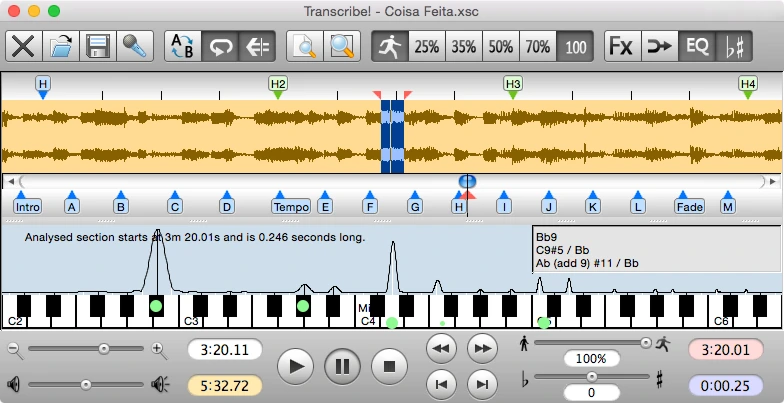
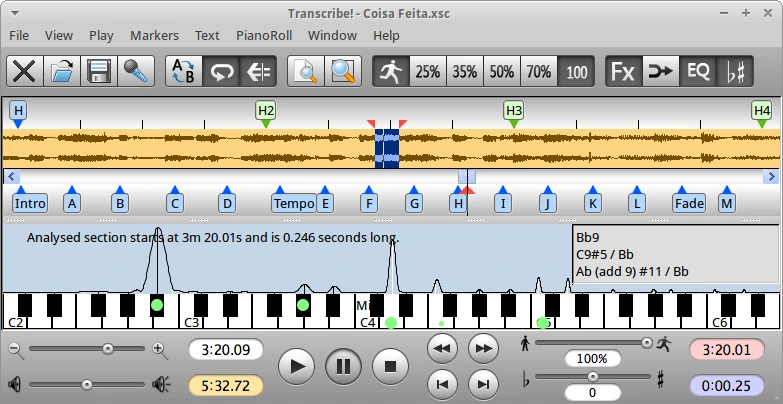
Transcribe has a clean, intuitive interface that is easy for beginners to use and offers advanced tools for experienced transcriptionists. The software supports Windows, macOS, and Linux, has an auto-save feature to protect work in progress, and creates a smooth workflow suitable for students, researchers, journalists, legal professionals, and content creators.
SYSTEM REQUIREMENTS
- Supported OS: Windows 11/10/8.1/7
- Memory (RAM): 1 GB of RAM or more is required
- Hard Disk Space: 100 MB or more required