
Spotify is a music streaming service that provides users with access to a vast library of music from various genres and artists. The software is an application that users download and install on their devices, such as smartphones, tablets, or computers, to access the Spotify service.
OVERVIEW OF SPOTIFY
Spotify is a popular music streaming service that offers access to a vast library of music from various genres and artists. It is available as software that users can download and install on their devices, including smartphones, tablets, and computers. Spotify’s software provides users with some features to enhance their listening experience, including search functionality, the ability to create playlists, personalized recommendations, and social sharing options.
Spotify software is available for free with ads or can be accessed through a premium subscription, which offers additional features such as ad-free listening, high-quality audio, and the ability to download music for offline listening. Founded in 2006 in Stockholm, Sweden one of the world’s most popular music streaming services with millions of active users worldwide. The service is constantly evolving and adding new features to improve the listening experience for users.
Spotify software allows users to search and play music, create playlists, and discover new music based on their listening habits and preferences. It also offers features like radio stations, podcasts, and social sharing, allowing users to connect with friends and discover new music through others’ recommendations. Users can choose to pay for a premium subscription that provides additional features such as ad-free listening, high-quality audio, and the ability to download music for offline listening.
FEATURES OF SPOTIFY
USER-FRIENDLY INTERFACE
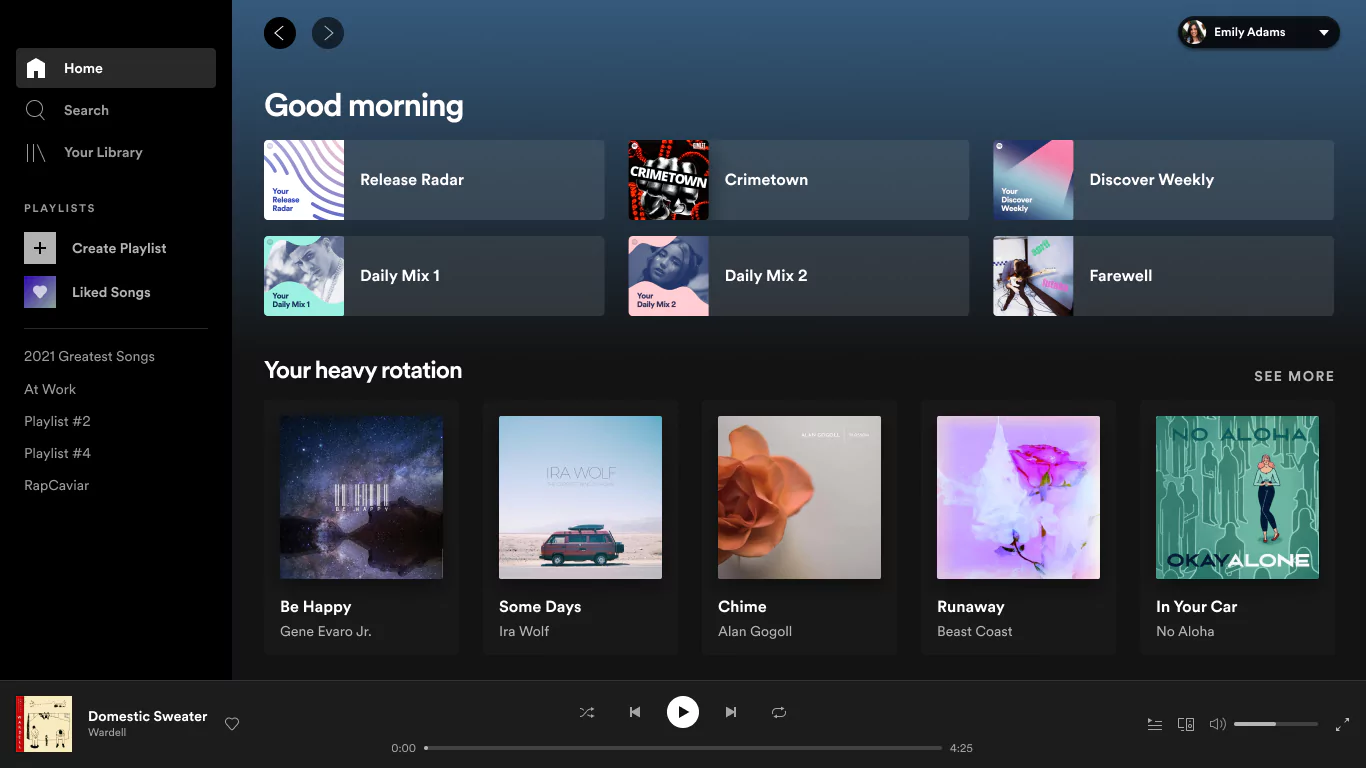
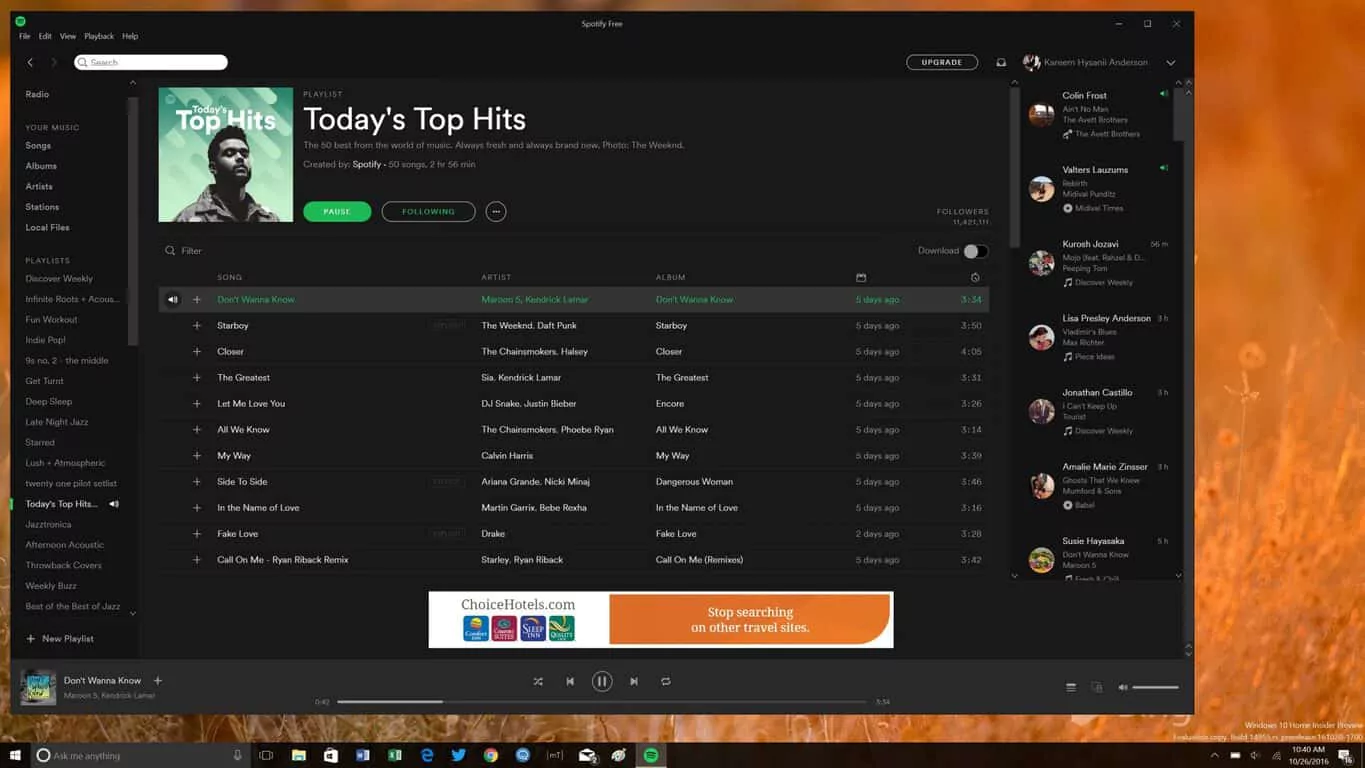
Spotify Desktop is designed with a beautiful, intuitive interface that makes it easy to discover and play music. The clean layout organizes important elements such as playlists, search, library, and recommendations in an easy-to-navigate format. Users can access music, podcasts, and audiobooks without clutter, making browsing uncluttered. The left-hand sidebar provides quick access to playlists and saved content, while the main panel displays personalized recommendations and trending music, making it easy for users to explore without distractions.
HUGE MUSIC AND PODCAST LIBRARY
One of the most important features of Spotify Desktop is its huge music and podcast library. It offers millions of songs from different genres, artists, and regions, giving every listener something to enjoy. Users can find podcasts in a variety of genres, from entertainment and education to news and self-improvement. With regular updates and new releases, the platform gives listeners access to the latest songs, trending podcasts, and exclusive content only available on Spotify.
PERSONALIZED RECOMMENDATIONS
Spotify Desktop stands out with its intelligent recommendation system powered by advanced algorithms. It continuously learns from users’ listening habits and curates playlists tailored specifically to them, such as Discover Weekly and Release Radar. The Daily Mix playlist mixes favorite songs with new ones, making the listening experience fresh and engaging. Personalization doesn’t stop at music; podcast recommendations are also tailored to the user’s interests, creating a high-level listening experience that feels unique to each individual.
PLAYLIST CREATION AND COLLABORATION
Spotify Desktop makes playlist creation simple and enjoyable, allowing users to easily build their own collection of their favorite songs. In addition to personal playlists, the platform supports collaborative playlist features, allowing friends and colleagues to contribute songs. This feature is perfect for group events, road trips, or sharing your musical tastes with others. Users can follow and share playlists from other community members, influencers, and even Spotify’s own playlists, enhancing the listening experience in many ways.
HIGH-QUALITY AUDIO AND CROSS-DEVICE SYNC
Audio quality is a strong point of Spotify Desktop, and you can adjust the streaming quality depending on your internet connection and preferences. Premium users can enjoy high-quality audio that enhances the listening experience, especially with good headphones or speakers. In addition, Spotify Desktop supports cross-device sync. With Spotify Connect, users can seamlessly play between desktops, mobile phones, smart speakers, and other devices. This seamless transition provides flexibility and convenience, allowing music listeners to follow their music wherever they go.
OFFLINE LISTENING AND ADVANCED CONTROLS
For premium subscribers, Spotify Desktop offers the ability to download playlists, albums, or podcasts for offline listening. This is especially useful for users who want to listen to music while traveling or in areas with limited connectivity. Advanced playback controls, including queue management, volume normalization, and keyboard shortcuts, give users a professional-level listening experience. The desktop app also integrates with third-party apps and hardware, further enhancing the experience for those looking to connect Spotify to a broader digital ecosystem.
SYSTEM REQUIREMENTS
- Supported OS: Windows 11/10
- Memory (RAM): 1 GB of RAM or more is required
- Hard Disk Space: 200 MB or more required