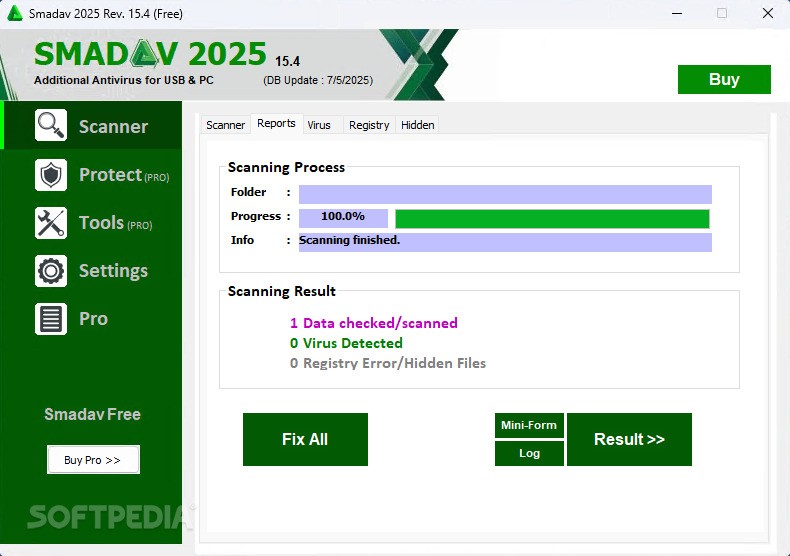
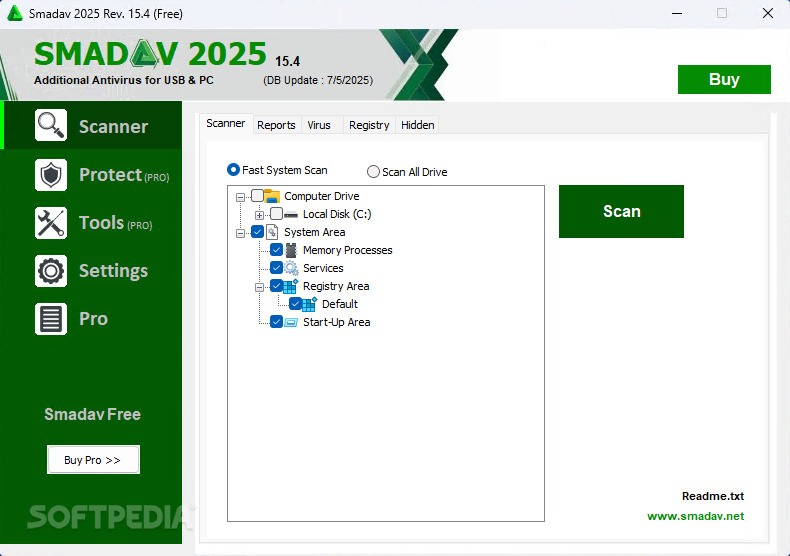
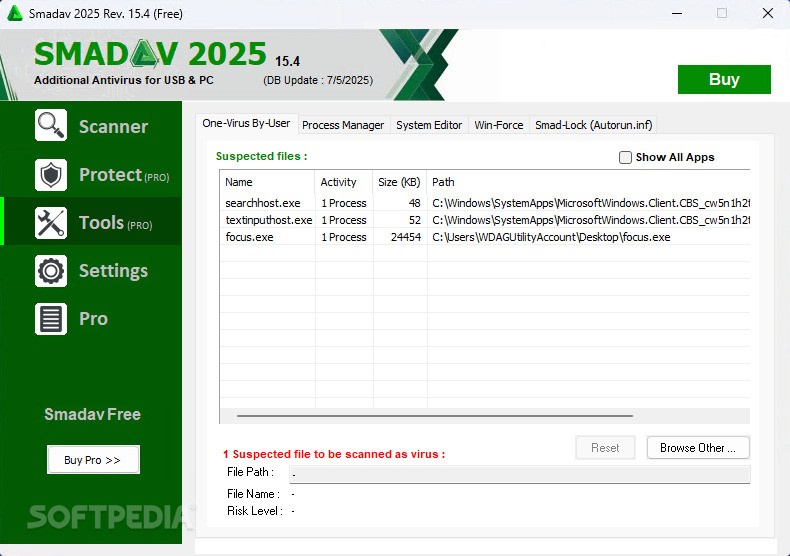

Smadav Pro is a lightweight antivirus software designed to provide additional protection for Windows PCs. It complements basic antivirus programs by targeting USB threats, hiding processes, and offering offline virus database updates. The Pro version includes advanced features such as automatic updates, quick scans, an exclusion list, and application monitoring.
OVERVIEW OF SMADAV PRO
Smadav Pro Full Version is a premium version of Smadav Antivirus, an Indonesian-developed antivirus software designed to provide an additional layer of protection for Windows computers. Unlike many antivirus solutions, Smadav is optimized as a secondary protection tool, which means it works best when used alongside a primary antivirus program such as Windows Defender, Avast or Bitdefender. Its main strength lies in detecting and removing local malware, especially those that spread via USB flash drives, a common infection vector in many environments.
One of the standout features of Smadav Pro is its advanced USB protection. It automatically scans USB drives when they are connected to the system and blocks viruses and suspicious files that run automatically. This is especially useful in environments where external drives are frequently used, such as schools, offices and public computer labs. The program also offers USB antivirus protection, which protects against the creation of hidden or automatic files on removable media.
In addition to USB protection, Smadav Pro includes several improved features over its free version. The Pro version allows for automatic updates, allowing users to receive the latest virus definitions without manual intervention. This provides faster scanning speeds, which is especially useful for users who want to minimize system downtime during regular scans. Smadav Pro is known for its low system resource consumption, making it suitable for older computers or systems with limited processing power.
FEATURES OF SMADAV PRO
ADVANCED AUTOMATIC UPDATE SYSTEM
Smadav Pro has an automatic update system that ensures that the antivirus database and software are always up to date without manual intervention. It regularly downloads the latest virus definition updates and program improvements from the Internet, thus providing better and more timely protection against new and emerging threats. This automatic update capability is essential for effective security, especially when new viruses and malware are spreading rapidly. Unlike the free version, which requires manual updates, Smadav Pro users benefit from continuous and uninterrupted protection through this advanced update feature. Since an Internet connection activates the update, you are always effectively protected against the latest threats.
IMPROVED, FASTER SCANNING WITH FILTER OPTIONS
The scanning process in Smadav Pro has been significantly optimized to produce faster results compared to the free version. It uses a technology known as Smad-Turbo, which speeds up the virus scanning process, reduces waiting times, and makes it more convenient for frequent scans. In addition, Smadav Pro offers a scanning filter capability that allows users to scan specific file types or directories instead of blindly scanning the entire system. This selective scanning helps save time while maintaining complete security for the most important areas. The faster and more customizable scanning options in Smadav Pro increase ease of use and productivity without compromising the depth of virus detection.
CUSTOMIZABLE INTERFACE WITH THEME OPTIONS
Smadav Pro allows users to personalize the user interface by changing the color theme to their preferences. This feature adds a layer of customization not available in the free version, improving the user experience by making the software interface more visually appealing or personalized. Such visual customization can make the antivirus program more enjoyable for everyday users. Changing themes helps differentiate the Pro version and is helpful for users who prefer a more customized environment than the standard, static UI design.
EXCLUSIVE LIST AND ADVANCED SETTINGS MANAGEMENT
One of the main practical features of Smadav Pro is the ability to manage exclusion lists, which allows users to specify files or folders to exclude from scanning. This helps to avoid conflicts with certain trusted files or false positives, and improves scanning speed by ignoring safe data. In addition, Pro users can disable updates, tools, and access to certain settings, which allows administrators or users to control the operation of the antivirus program. This is useful in managed environments where strict security policies must be followed and the ability to configure the software’s operation must be limited.
USB PROTECTION AND COMPLETE VIRUS REMOVAL
Smadav Pro specializes in protecting against viruses transmitted via USB drives and external media. It uses a combination of artificial intelligence, heuristics, and signature-based techniques to effectively detect and eliminate viruses transmitted via USB. It can remove viruses, repair system registry corruption, and restore files hidden or modified by malware on USB devices. This is especially important for users who frequently use removable media, which are common vectors of infection, or who share files via USB drives. Smadav Pro’s active USB protection features help secure data transfer channels and stop the spread of viruses.
ADDITIONAL TOOLS AND SYSTEM MANAGEMENT FEATURES
Smadav Pro includes various additional built-in tools that enhance system maintenance and security management. These include a process manager that monitors running processes, a system editor that modifies system settings that are frequently modified by malware, and a tool that forces Windows administrative tools to open. These tools help users diagnose and resolve problems caused by infections, thereby improving the overall health of the computer. The Pro version unlocks more of these features and offers more complete tools for advanced users who want full control over their system security.
SYSTEM REQUIREMENTS
- Supported OS: Windows 11/10/8.1/7
- Memory (RAM): 1 GB of RAM or more is required
- Hard Disk Space: 100 MB or more required