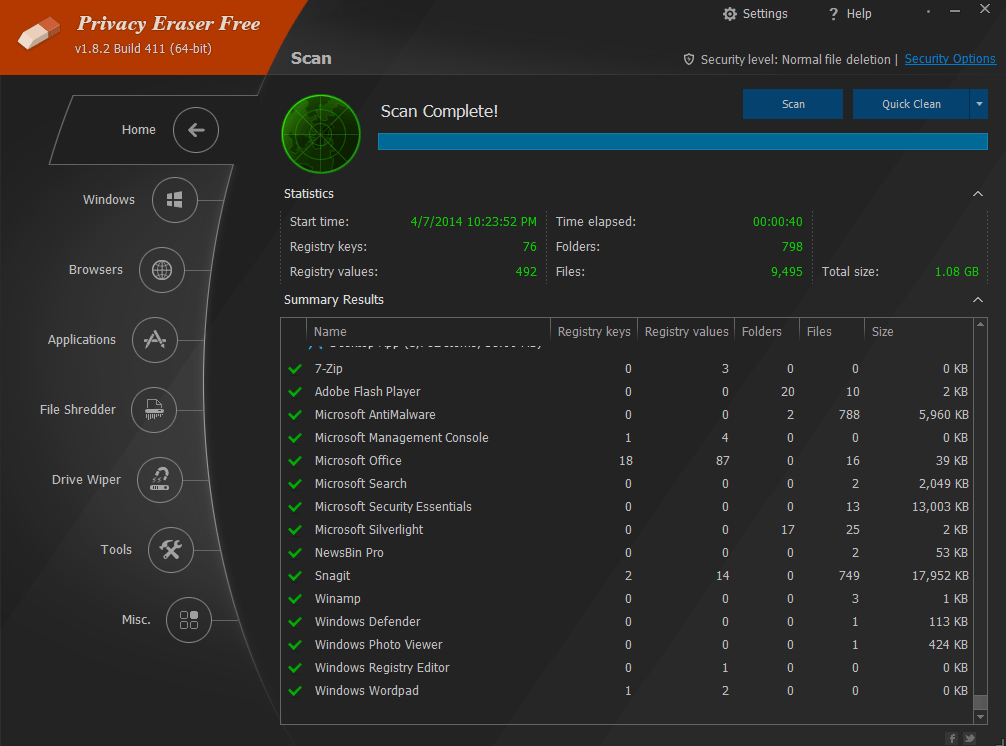
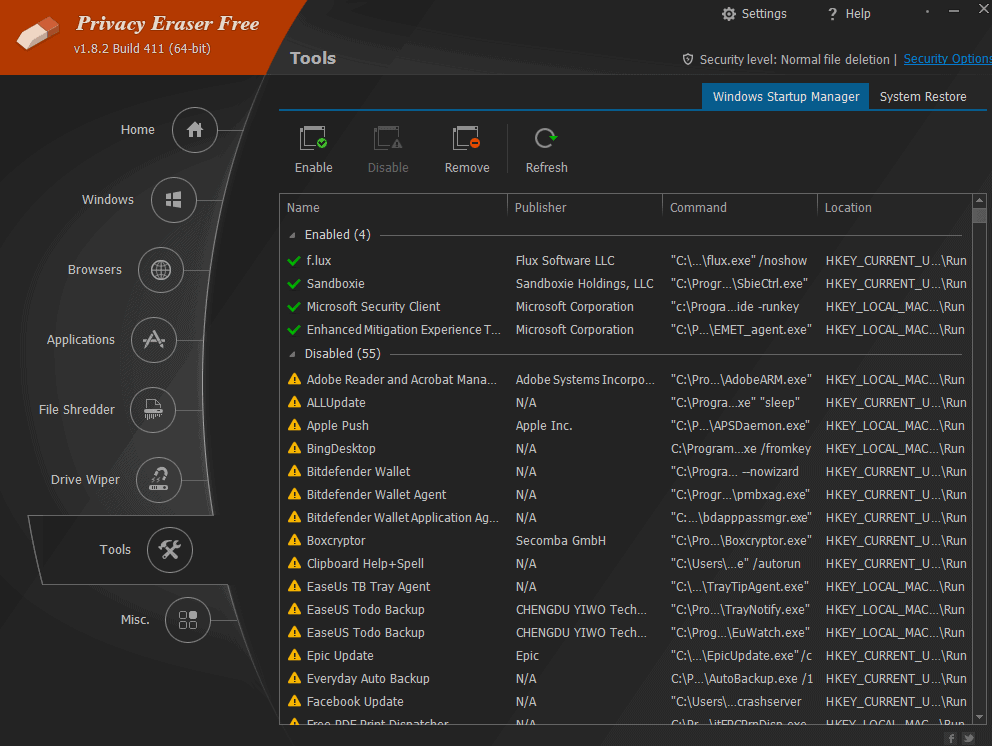
Privacy Eraser Pro is a software designed to help users protect their privacy. It offers a variety of tools and features to remove traces of online and offline activities, including browsing history, cookies, and temporary files. It helps users maintain their privacy and prevent unauthorized access to their personal information.
OVERVIEW OF PRIVACY ERASER PRO
Privacy Eraser Pro is a versatile software application designed to provide users with powerful tools and features to improve their privacy and security in the digital environment. Its main objective is to eliminate traces of online and offline activities and offer users peace of mind in maintaining the privacy of their personal information. With an intuitive interface and user-friendly design, Privacy Eraser Pro is designed for both novice and experienced users looking to protect their digital footprint.
At the heart of Privacy Eraser Pro is the ability to delete various types of sensitive information, including browsing history, cookies, cache files, and temporary files created while surfing the Internet. By removing these digital traces, users can prevent unauthorized parties from accessing their browsing habits, thereby improving their online privacy. In addition, the software allows users to securely delete files and folders and uses advanced shredding techniques to ensure that deleted data cannot be recovered by malicious actors or data recovery tools.
Privacy Eraser Pro offers comprehensive cookie management features that allow users to selectively delete or whitelist cookies based on their preferences. This feature not only improves privacy by preventing tracking by advertisers and third parties but also allows users to customize their browsing experience according to their privacy settings. In addition, the software includes a junk file cleaner that scans and removes unnecessary files from the system, optimizes disk space and improves overall system performance.
FEATURES OF PRIVACY ERASER PRO
BROWSER CLEANER
Privacy Eraser Pro performs a full browser cleanup on Chrome, Firefox, Edge, Safari, and Opera, removing history, cookies, cache, typed URLs, autocomplete data, and saved passwords with a single click. It tracks download logs, session files, and extension traces, blocks tracker profiles, and ensures that no digital debris is left behind from online research or YouTube sessions. Windows integration securely deletes recent files, Run history, and Recycle Bin, and empties clipboard and temporary folders to prevent loss. Over 250 plugins run third-party applications such as VLC, Adobe Reader, and Skype, and clears chat history and logs. Real-time monitoring records new traces during browsing, making it ideal for device testers who collect multimedia playback data. This feature reduces traces by 99%, making it ideal for data management professionals on Windows computers.
SECURE DELETE
Advanced secure deletion uses methods such as zero-fill (1 pass for speed), DoD 5220.22-M (3/7 passes for official security), and Gutmann (35 passes for ultimate protection from recovery tools). It overwrites files with random patterns and targets free disk space to remove old file remnants – even on SSDs. Pro’s file shredder lets you right-click to delete specific documents, folders, or drives through Explorer without sacrificing performance. Perfect for shredding sensitive project files from video editors or financial records from application testing. Custom levels for each file type (fast for temporary, intensive for sensitive data) ensure accuracy. Benchmarks use less CPU, outperforming free tools in accuracy, making it a must-have for privacy-conscious content creators who are responsible for personal technology reviews.
TRADITIONAL ERASURE
Complete trace removal covers Windows activities such as recent documents, pre-download files, update logs, DNS cache, and registry entries from daily use. It wipes the media player’s small data cache, preventing metadata from being revealed in edited videos or photos. USB and portable app histories are cleared, and data is protected from syncing to Android devices such as Xiaomi or Samsung phones. Plug-in support reaches Office, WinRAR, iTunes, and gaming apps, removing temporary data and automatically filling it in. The scheduler automates cleanup when shut down or idle, and runs silently to maintain hygiene during long writing sessions or software benchmarks. Users report that it easily frees up gigabytes and increases computer speed for multimedia tasks that are essential for optimizing a system that has been cluttered by VPN tests or proxy tools.
AUTOMATION AND SCHEDULING
Automation shines with flexible scheduling: daily/weekly/monthly cleanups or browser shutdowns, startups, or idle mode detection, etc. Background operations keep your privacy hands-free while gamers are streaming podcasts or testing mobile apps. Internet Booster cleans DNS/Winsock for faster downloads and helps with software research. Command-line scripting supports batch jobs for profiles, while the Boss Key hotkey (configurable) instantly minimizes windows and removes active traces – great for those unexpected privacy needs during work calls. Pro-exclusive presets set routines like a quick scan after gaming. It fits perfectly with your content creation habits, and works well with data recovery tools by preventing traces from accumulating on YouTube Premium or anime streams, reducing the amount of clutter that can be recovered.
REGISTRY CLEANER
Pro Registry Cleaner scans for invalid entries, orphaned keys, and traces from uninstalled applications like multimedia editors or VPNs, and safely removes them with backup and restore options. It slows down boot times and targets startup items to optimize for Windows 11/10 users who are performing resource-intensive tasks. Disk Analyzer detects large temperature/overruns, freeing up space for device reviews or video projects. Detailed logs with timestamps are exported to HTML/TXT for auditing purposes, which is useful for tech records. Ignore list protects important items like bookmarks. Community plugins keep it up-to-date with new software and ensure compatibility. Tests show a 20-30% speed increase, which is consistently
SYSTEM REQUIREMENTS
- Supported OS: Windows 11/10/8.1/7
- Memory (RAM): 1 GB of RAM or more is required
- Hard Disk Space: 100 MB or more required