
NXPowerLite Desktop is a software designed to compress and optimize various file types to reduce the size of Microsoft Office (Word, Excel, PowerPoint) and PDF documents. NXPowerLite Desktop makes it easy for users to optimize their files without losing quality, reduce disk space usage, and easily share and store documents.
OVERVIEW OF NXPOWERLITE DESKTOP
NXPowerLite Desktop is a powerful software solution for optimizing and compressing various file types to reduce the size of Microsoft Office (Word, Excel, PowerPoint) and PDF documents. Developed by Neuxpower Solutions Ltd., this desktop application offers users an efficient and effective way to improve document management while significantly reducing file size while maintaining content quality. NXPowerLite Desktop simplifies the process of file optimization with a user-friendly interface and powerful compression algorithms, making it accessible to users of all technical levels.
One of the main features of NXPowerLite Desktop is the ability to intelligently analyze files and selectively remove unnecessary elements without losing quality. By removing redundant data, embedded objects, and metadata, the software effectively reduces document size without changing appearance or functionality. This optimization process not only facilitates file sharing and distribution but also helps save valuable disk space, which is especially important for organizations that manage large amounts of data.
NXPowerLite Desktop integrates with popular Microsoft Office applications, allowing users to optimize files directly from within Word, Excel or PowerPoint. This integration streamlines the workflow and eliminates the need for additional steps, making the optimization process more efficient and convenient. In addition, the software can compress individual files or entire folders into standalone desktop applications, offering users the flexibility to manage and optimize their documents.
FEATURES OF NXPOWERLITE DESKTOP
SMART FILE COMPRESSION
NXPowerLite Desktop helps you reduce the size of large documents while keeping them suitable for everyday use. It is designed to optimize files containing large images, graphics, and other content, allowing users to save storage space and make documents easier to transfer or share.
POWERPOINT OPTIMIZATION
This software is especially useful for compressing Microsoft PowerPoint presentations. It can reduce the size of presentations with many images while maintaining their original format and overall appearance. This makes large presentations more convenient to send by email, upload, save, or distribute to colleagues and clients.
PDF FILE REDUCTION
NXPowerLite Desktop can optimize PDF documents by reducing unnecessary file sizes. It focuses on compressing elements such as images while maintaining a reasonable level of image quality. Smaller PDF files are easier to upload, send as attachments, and store for long-term archiving.
MICROSOFT OFFICE SUPPORT
This program works with popular Microsoft Office documents, including Word and Excel files. Users can optimize individual documents or work with multiple compatible files at once. This is a practical option for offices that regularly process large reports, spreadsheets, presentations, and other business documents.
BATCH COMPRESSION
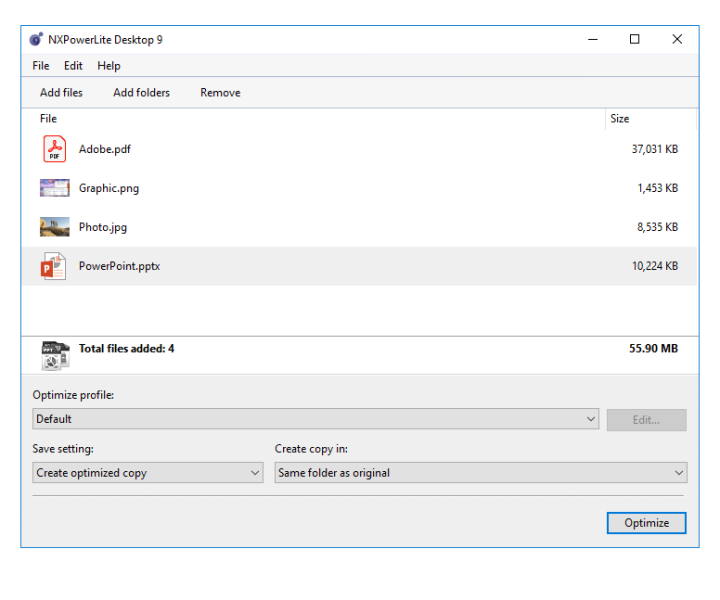
NXPowerLite Desktop includes batch processing capabilities that optimize multiple files in a single operation. Instead of opening and compressing each document individually, users can select multiple files and apply their selected optimization settings together. This can significantly reduce the time required to process large collections of documents.
EASY-TO-USE INTERFACE
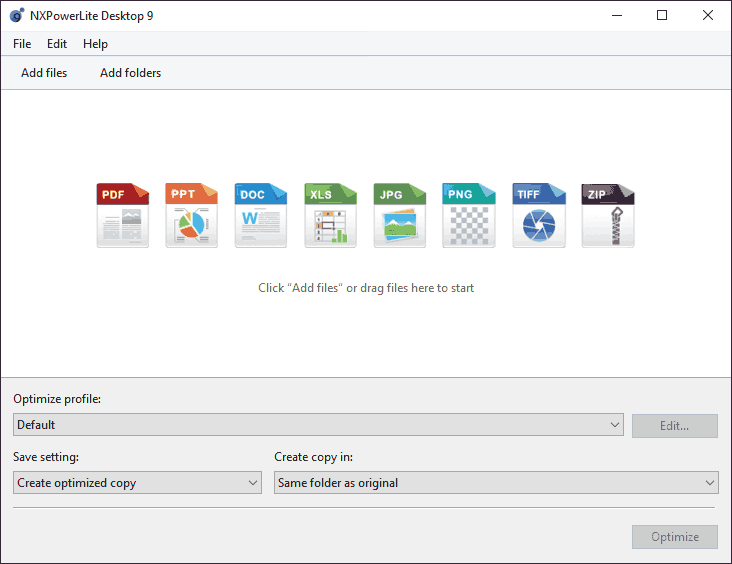
The software provides a simple workflow that does not require advanced knowledge of compression. Users can add their files, select the appropriate optimization settings, and start the process from a simple interface. By focusing on document optimization rather than complex technical controls, NXPowerLite Desktop makes file size reduction accessible to both home and professional users.
SYSTEM REQUIREMENTS
- Supported OS: Windows 11/10/8.1/7
- Memory (RAM): 1 GB of RAM or more is required
- Hard Disk Space: 100 MB or more required