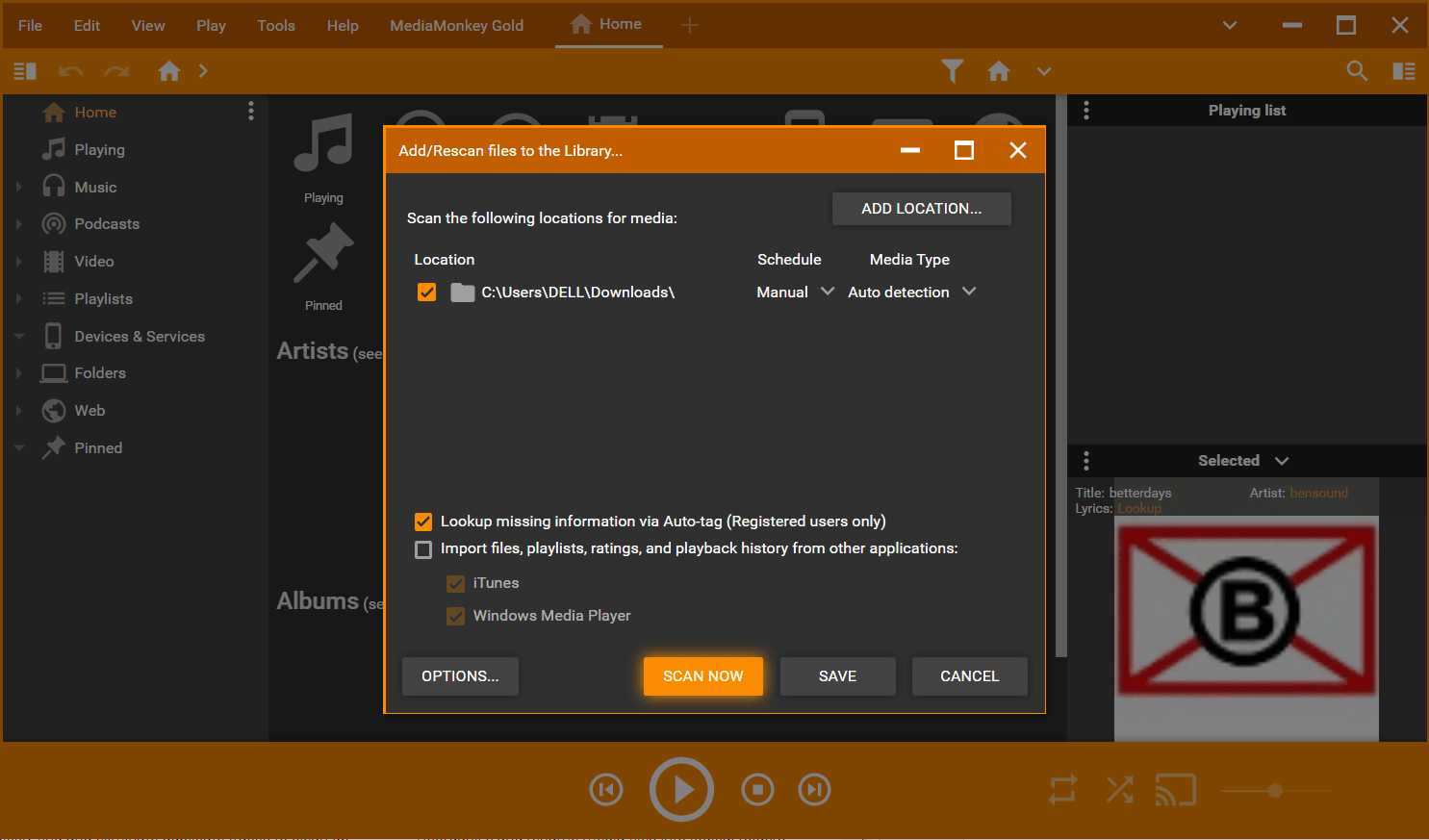
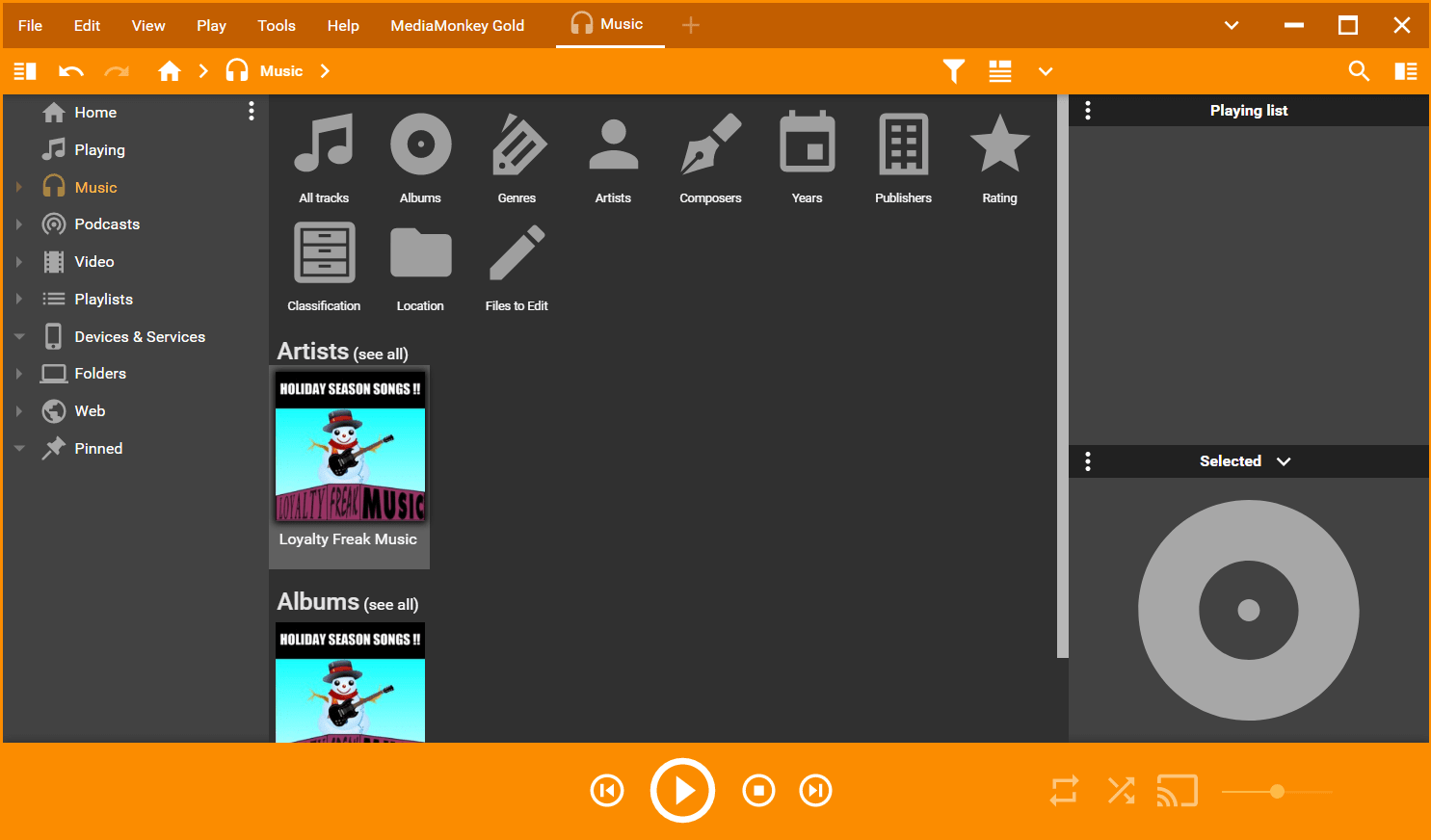

MediaMonkey Gold is a music manager and media jukebox that allows you to catalog CD, OGG, WMA, MPC, FLAC, APE, WAV, and MP3 audio files. It provides a wide range of features for managing your music and video collections, including a multimedia collection that allows you to segment, modify, and independently manage large media libraries.
OVERVIEW OF MEDIAMONKEY GOLD
MediaMonkey Gold is the premium version of the popular MediaMonkey digital media player and library management software. Developed by Ventis Media, MediaMonkey Gold enhances the user experience with a variety of enhanced features for enthusiasts and audiophiles. It is a comprehensive media management tool for organizing, managing, and playing your huge music and video collection on Windows. It ensures compatibility with a wide variety of file types to serve users with a wide variety of media content.
MediaMonkey Gold’s advanced media management capabilities allow users to easily tag, categorize, and organize their digital media files, providing a structured and accessible library. Automatic tagging features contribute to the efficiency and optimization of organizational processes and save time managing metadata for a wide range of user collections. One of the highlights of MediaMonkey Gold is the ability to rip audio CDs to digital format and burn playlists or entire media collections to CD or DVD. This feature increases the versatility of the software, allowing users to digitize their music collections and create personal audio CDs.
MediaMonkey Gold offers advanced search and filtering options, allowing users to quickly find specific songs and albums from a large library. Custom skins and visuals further enhance the user interface, allowing players to customize the look and feel to their liking. Automatic library organization is a key aspect of MediaMonkey Gold, with the ability to organize media collections based on user-defined criteria such as genre, artist, and album. This will give you a well-organized and well-structured library that will allow you to browse and play. It extends its format support to include a wide variety of audio and video formats.
The premium version adds the ability to sync multiple devices, allowing users to sync well-organized media libraries across multiple devices. This seamless sync ensures a consistent experience whether you’re consuming media on a computer, smartphone, or tablet. Furthermore, It allows unlimited MP3 encoding by removing the limitations of converting audio files to the popular MP3 format. At its core, MediaMonkey Gold stands out as a feature-rich, user-friendly media management solution that offers enthusiasts an advanced experience in organizing, playing, and enjoying their digital music and video collections.
FEATURES OF MEDIAMONKEY GOLD
COMPREHENSIVE MUSIC MANAGEMENT SOFTWARE
MediaMonkey Gold is a professional-grade music management and media organization software for users who want complete control over their audio collection. It supports MP3, FLAC, AAC, WMA, OGG and many other formats, allowing you to efficiently manage, play and organize thousands of songs. Unlike a standard music player, MediaMonkey Gold focuses on large library management, detailed tagging and playback settings. Whether you are a casual listener or a serious audiophile, this software gives you all the tools you need to organize and enjoy your entire music collection in a precise and easy way.
ADVANCED LIBRARY ORGANIZATION AND TAGGING
One of the main advantages of MediaMonkey Gold lies in its advanced tagging and library organization. The program automatically scans your system for audio files and categorizes them by artist, album, genre and year. It supports automatic metadata tagging from online databases such as Freedb and Discogs, allowing you to properly identify and organize even untagged files. Batch tagging, duplicate file detection, and customizable tag templates make it easy to maintain a clean and accurate library. This level of organization saves time and improves the listening experience for users with large music collections.
HIGH-QUALITY AUDIO PLAYBACK AND CONVERSION
MediaMonkey Gold is not only a library manager, but also a powerful audio player with advanced playback features. It supports gapless playback, crossfade, and volume adjustment to ensure a seamless listening experience. Users can customize the equalizer settings to fine-tune the sound output based on personal preferences or speaker type. In addition, MediaMonkey Gold includes built-in audio conversion tools that allow users to convert files between different formats without losing quality. This feature is especially useful when preparing music for various devices such as smartphones, MP3 players, and high-resolution audio systems.
AUTOMATIC FILE ORGANIZATION AND RENAMING
Keeping your music collection neat and accessible has never been easier with MediaMonkey Gold’s automatic file organization system. The software can rename files and move them into folders based on tags such as artist, album, and track number. This feature keeps your directory structure consistent and logical, eliminating clutter and confusion. This is especially useful for users with large collections stored on multiple drives. With convenient naming conventions, you can create your own favorite file organization style while keeping your music library perfectly organized.
CD RIPPING, BURNING, AND DEVICE SYNC
MediaMonkey Gold includes comprehensive CD ripping and burning tools that allow you to digitize your physical music collection and easily back up your playlists. The ripping feature supports high-quality output formats and automatically downloads song information from online databases. You can also create audio CDs or data discs directly from your playlists. Furthermore, MediaMonkey Gold allows you to sync with Android, iOS, and other portable media players. The software automatically converts incompatible formats and transfers playlists, so your music collection is always ready to go.
CUSTOMIZATION, AUTOMATION, AND ADVANCED FEATURES
What sets MediaMonkey Gold apart from the standard version are its extensive range of premium features, including automatic library updates, advanced search, and playlist management. Users can create fully automated playlists based on filters such as ratings, play counts, and genres. The software can automatically download album art, lyrics, and song title information, giving your library a complete and attractive look. MediaMonkey Gold supports plugins and skins, giving users complete control over its appearance and functionality. Its scripting support allows power users to automate repetitive tasks or create custom functions, making it one of the most flexible media managers.
SYSTEM REQUIREMENTS
- Supported OS: Windows 11/10/8.1/7
- Memory (RAM): 1 GB of RAM or more is required
- Hard Disk Space: 200 MB or more required