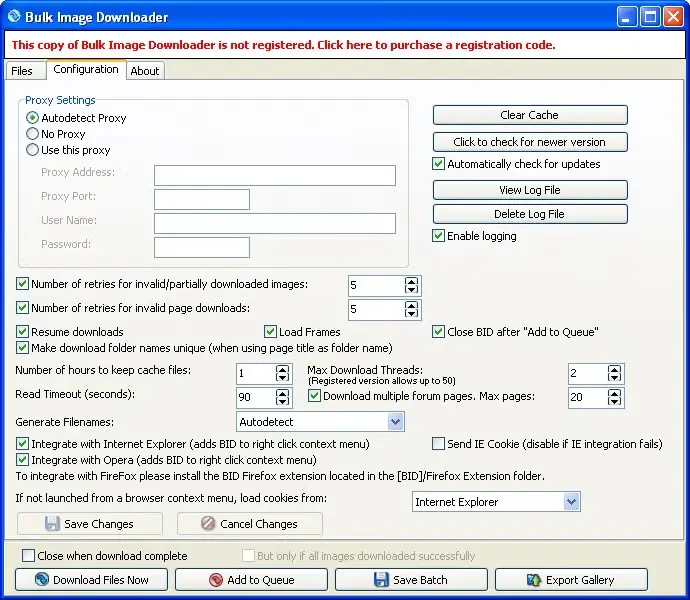
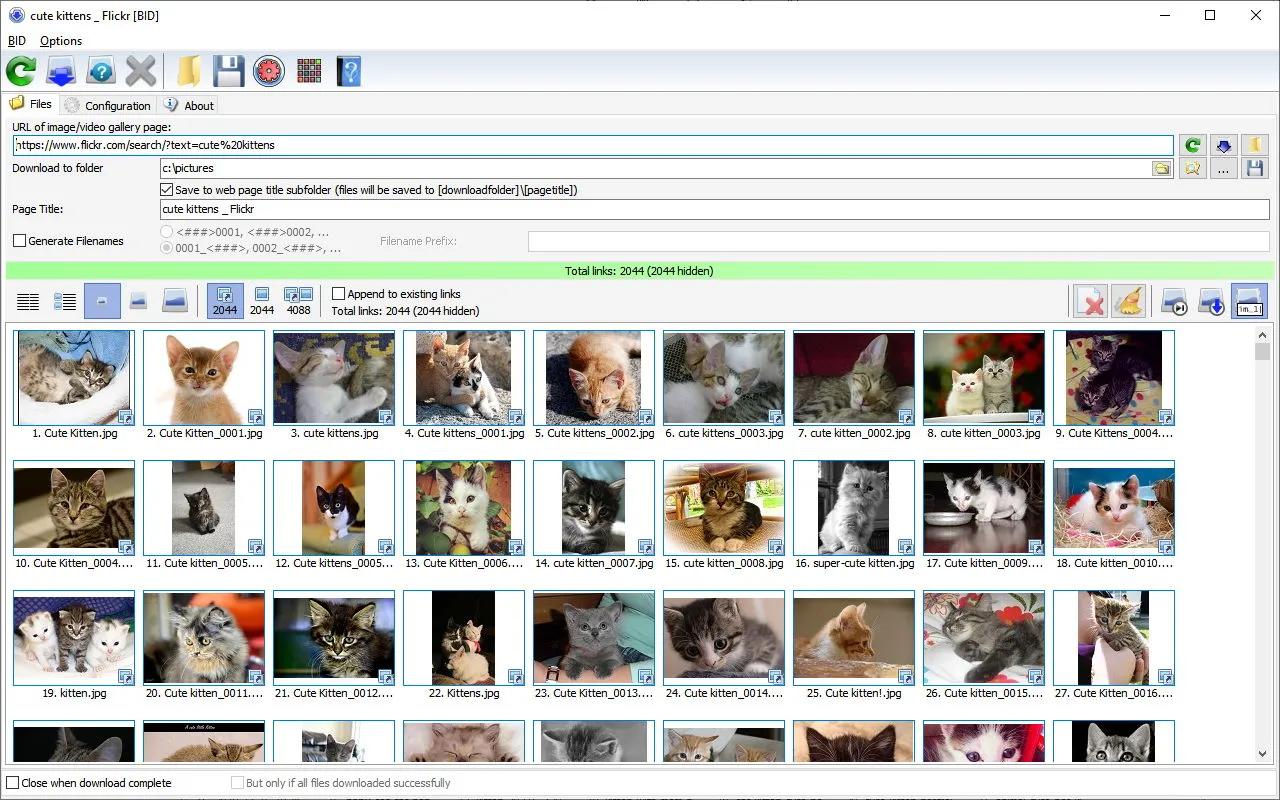

Bulk Image Downloader is a program designed to simplify the process of downloading large quantities of images from websites. This is especially useful for users who need to download images in large quantities, such as photographers, researchers, or those who want to obtain images from various Internet sources. BID automates the tedious task of storing images one at a time and provides a more efficient solution for bulk image retrieval.
OVERVIEW OF BULK IMAGE DOWNLOADER
Bulk Image Downloader (BID) is a reliable and user-friendly application designed to make it easy to download large volumes of images from various websites. This software meets the needs of photographers, researchers, and individuals who require extensive collections of images from various Internet sources. Essentially, BID offers an automated solution to the traditional tedious process of storing images one by one, while also offering a simplified and efficient way to extract images in bulk.
Whether you’re dealing with image-heavy websites, forums, or extensive galleries, BID excels at loading large numbers of images at once, eliminating the need for manual intervention. The program is tightly integrated with popular web browsers and facilitates the download process directly from the browser. With support for a variety of image hosting platforms, including popular sites like Flickr and Imgur, BID provides compatibility with a wide range of sources.
One of the unique features of Bulk Image Downloader is its automatic image detection capability, which allows the user to recognize and download images from web pages without requiring the user to manually select or enter URLs. This automation greatly improves efficiency and makes it an invaluable tool for those performing large-scale image-processing tasks. Additionally, BID allows users to preview images before uploading them, allowing them to control the accuracy and selection process.
FEATURES OF BULK IMAGE DOWNLOADER
EFFICIENT IMAGE DOWNLOADER
Bulk Image Downloader (BID) is a powerful and user-friendly software designed to automatically download and save large numbers of images and videos from websites, photo galleries, and social media pages. It is a time-saving solution for photographers, designers, and digital content collectors, eliminating the need to manually save each image. The software intelligently scans web pages, skipping thumbnails, ads, or unnecessary page elements, and extracts full-size images. With a clean interface and simple controls, even beginners can easily download and organize high-quality images from almost any website.
AUTOMATIC GALLERY DETECTION AND DOWNLOAD
One of the most impressive features of Bulk Image Downloader is its ability to automatically detect image galleries and media links from supported sites. It works seamlessly with popular image hosting platforms such as Flickr, Instagram, DeviantArt, Imgur, and more. After adding a URL, the program analyzes the page and lists all the content available for download, allowing users to preview, select, and download items with just one click. This automation eliminates the hassle of manually browsing multiple pages and dealing with complex gallery structures, offering a smooth and efficient downloading experience.
FULL-RESOLUTION IMAGE EXTRACTION
Unlike standard browser-based downloaders that compress images or compress thumbnails, Bulk Image Downloader focuses on downloading full-resolution content directly from the source. It automatically identifies and downloads the highest quality version of each image, preserving the original resolution and sharpness. Whether you are collecting stock photos, wallpapers, or reference materials, you can be sure that each file will retain its original quality. The software supports downloading videos from selected websites, ensuring a comprehensive solution for all types of media content.
INTEGRATION WITH POPULAR BROWSERS AND DOWNLOAD MANAGERS
Bulk Image Downloader is fully compatible with major browsers such as Chrome, Firefox, Edge, and Opera. Its browser extension allows users to grab images from any web page with a right-click or a single click. The integration works in real-time, meaning BID can automatically download links from your browser without having to manually enter them. Furthermore, it can work with download managers such as Internet Download Manager (IDM) to improve download speeds and maintain a stable connection. This seamless compatibility ensures smooth operation regardless of your browser settings.
ADVANCED QUEUE MANAGEMENT AND DOWNLOAD CONTROL
To handle large downloads, Bulk Image Downloader includes a powerful queue management system. Users can add multiple galleries to the queue and have the program automatically process them. A built-in scheduler allows you to start or pause downloads at specific times, while a retry mechanism allows incomplete or interrupted downloads to be resumed without losing data. In addition, users can adjust the number of simultaneous connections, limit bandwidth, and organize files into specific folders to increase management and storage efficiency.
SUPPORT FOR PASSWORD-PROTECTED AND DYNAMIC SITES
Bulk Image Downloader is designed to work with a wide variety of websites with complex scripts or dynamic content. It supports downloading from password-protected galleries and membership-based websites by securely storing login information. The software’s intelligent engine handles JavaScript or AJAX-based web pages and automatically detects hidden images and media elements that other downloaders might miss. This makes it an excellent tool for professionals who regularly work with high-quality content platforms or custom galleries.
CUSTOM NAMING, FILTERING, AND METADATA OPTIONS
For added flexibility, Bulk Image Downloader offers file naming, filtering, and metadata management. Users can define naming rules using tags such as site name, gallery title, and sequential numbering. Filtering tools allow you to skip thumbnails, duplicates, or unwanted file types, keeping only relevant content. Metadata such as EXIF data can be preserved for photo workflows. This level of organization allows for very detailed categorization of downloaded media, making it easy to use later.
SYSTEM REQUIREMENTS
- Supported OS: Windows 11/10/8.1/7
- Memory (RAM): 1 GB of RAM or more is required
- Hard Disk Space: 100 MB or more required