
AquaSoft Video Vision is software that allows you to create stunning presentations from videos, photos, and music. It aims to make video creation and editing easier and offers users a comprehensive set of video creation tools. AquaSoft Video Vision usually provides features suitable for both beginners and advanced users, allowing you to easily create professional-quality videos.
OVERVIEW OF AQUASOFT VIDEO VISION
AquaSoft Video Vision is a complete multimedia software solution designed to enable users to combine video, photos, and music to create stunning presentations. Known for its versatility, the software provides video editing, animation, and slideshow tools, making it an accessible platform for both novice users and seasoned multimedia enthusiasts.
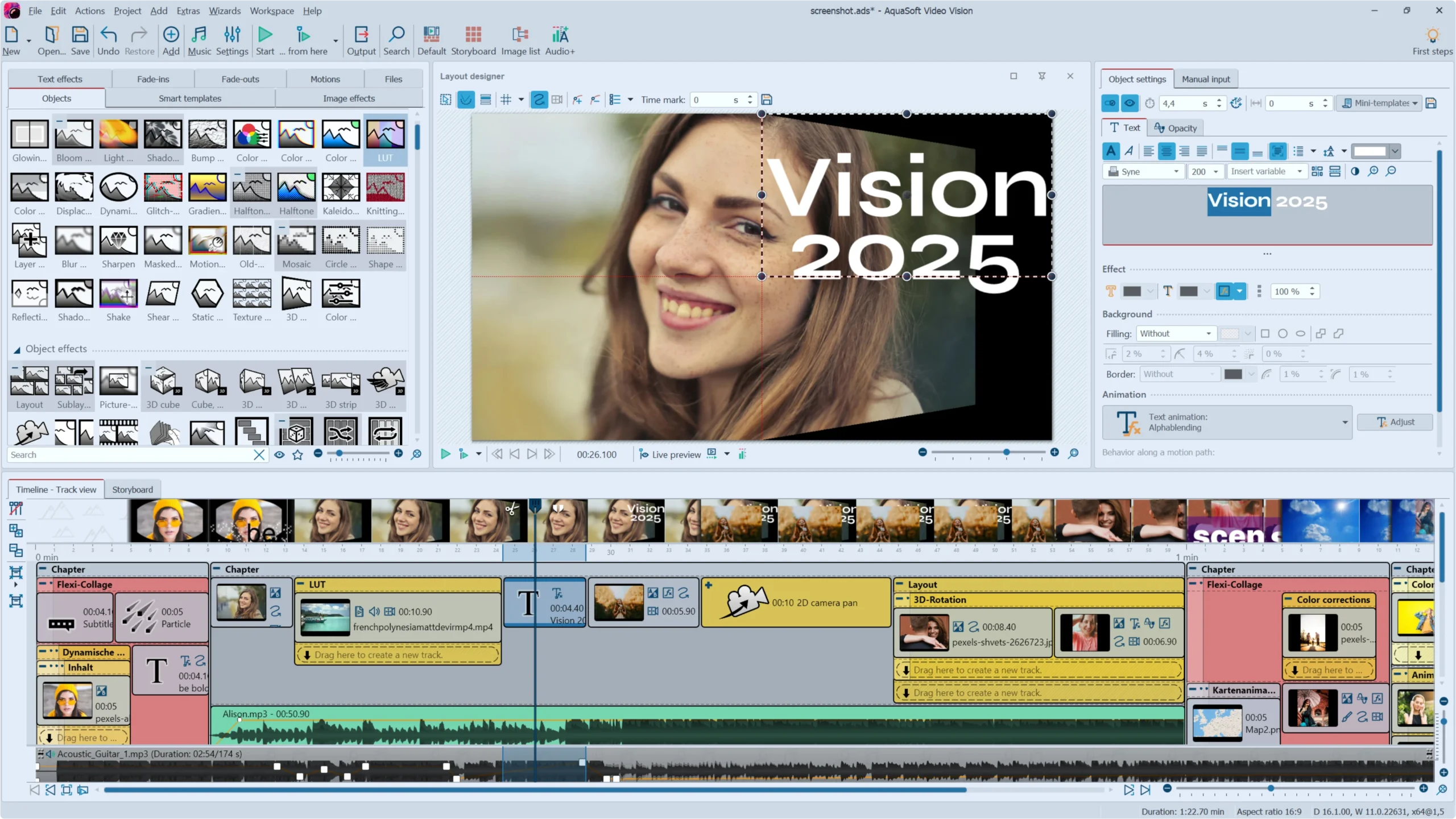
AquaSoft Video Vision has a user-friendly interface that allows users to combine an unlimited number of videos, images, captions, and sounds, and apply effects to each element. The software offers dynamic creative capabilities with features such as dynamic masks, animated paths, animated paths, and particle systems, allowing users to fill their presentations with visually interesting elements.
AquaSoft Video Vision goes beyond conventional video editing to create time-lapse or slow-motion movies, adding a narrative dimension to visual storytelling. The inclusion of green screen functionality transforms monochrome backgrounds in photos and videos into virtual or animated environments, further enhancing creative expression. Users can easily transport their themes to a variety of environments, from quiet sun-drenched islands to dynamic, animated backgrounds.
FEATURES OF AQUASOFT VIDEO VISION
VIDEO EDITING TRANSITIONS AND EFFECTS ABOVE THE TIMELINE
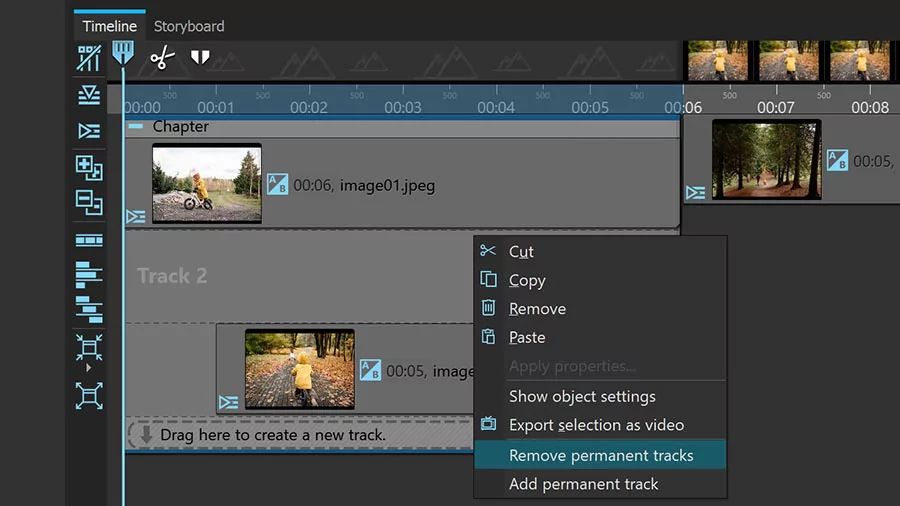
AquaSoft Video Vision offers a timeline-based editing environment that allows users to seamlessly combine images, video, and text. The editor supports complex transitions, video speed adjustments, and keyframe animation, which allows for precise control over the movement and timing of each element. With a wide range of effects, including motion blur, parallax effects, and advanced image processing, users can create professional-quality videos with smooth, visually interesting results. The timeline supports multi-layer editing to easily organize and manage multiple media sources.
ENHANCED 3D AND MOTION GRAPHICS TOOLS
One of the unique features is the 3D scene object and editor, which allows users to animate and place images, video, and text in three-dimensional space, with accurate depth grading and transparency control. Unique 3D effects, such as rotating 3D cubes and virtual photo walls, increase creative possibilities. The software also supports motion blur control to create natural and cinematic animation transitions. Users can create dynamic particle systems, such as snow or rain, and use curves to control the dynamics of time and motion to enhance the story.
COMPREHENSIVE AUDIO EDITING AND MAKING
AquaSoft Video Vision integrates comprehensive audio editing capabilities, including adjusting the volume of video audio, cleaning audio for precise playback, and displaying audio waveforms directly on the timeline. In addition, it supports automatic subtitle audio transcription, which makes videos more accessible and easy to produce without the need for third-party applications. This combination of audio editing and subtitle automation enhances the overall multimedia experience.
PROFESSIONAL COLOR CORRECTION AND VIDEO FORMAT SUPPORT
The software includes powerful color correction tools such as LUT (Look-Up Table) support, color curve adjustment, and advanced settings, allowing users to professionally grade their footage to achieve the desired visual style. It supports high-bit-depth video projects (up to 12-bit color depth) to ensure high visual fidelity, suitable for professional workflows. The export options are extensive, supporting modern codecs such as H.265 and AV1, and offering output presets for multiple media platforms, Blu-ray/DVD burning, or traditional video files such as MP4 and WMV.
WIDE INTEGRATION AND AUTOMATION CAPABILITIES
AquaSoft Video Vision can be integrated into professional editing workflows using plug-ins for Adobe Premiere Pro, DaVinci Resolve, Vegas, and other OpenFX-compatible software. This integration allows users to seamlessly import and export projects, improving flexibility. Furthermore, it offers automation options such as command line control, live presentation update folder control, and custom template creation, saving time and allowing for the reuse of customized effects and workflows. The user interface supports multi-screen configurations for efficient editing.
SYSTEM REQUIREMENTS
- Supported OS: Windows 11/10/8.1/7 (64-bit)
- Processor: 2 GHz dual-core processor (Intel or AMD)
- Memory (RAM): 4 GB of RAM or more is required
- Graphics Card: DirectX 9.0c compatible
- Hard Disk Space: 100 MB or more required
- Display: 1280 x 768 resolution