
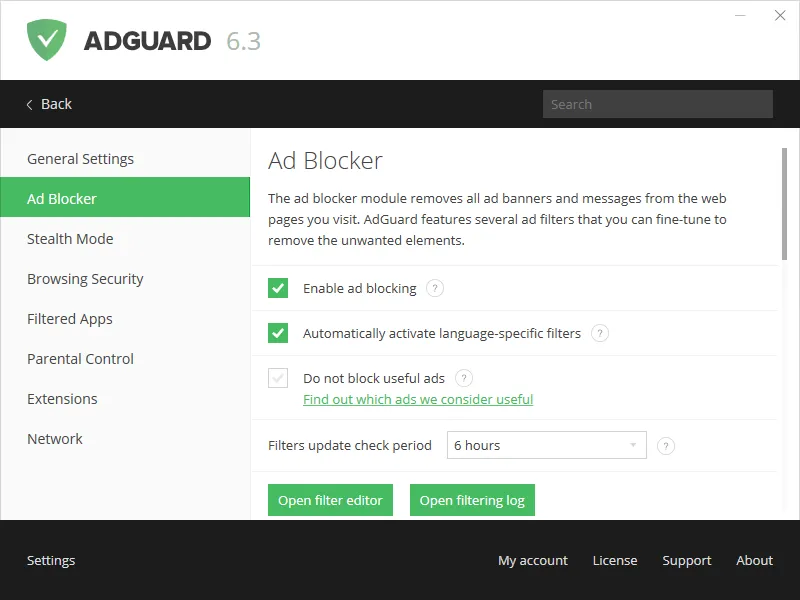

AdGuard is a popular ad blocking and privacy protection software designed to block intrusive ads, protect against online tracking, and improve online browsing by creating a safer and more private Internet. It aims to block all types of ads, including banners, popups, video ads, etc.
OVERVIEW OF ADGUARD
AdGuard is a complete ad blocking and privacy protection solution, offering powerful tools to help users create a safer and more enjoyable online experience. AdGuard stands out as a popular and widely accepted software that is based on the quest to remove intrusive ads and is available on multiple platforms including Windows, macOS, Android, iOS, and various web browsers. AdGuard excels in its ability to block all types of ads, from banners and pop-ups to video ads, giving users an uncluttered and easy browsing experience. Its ad-blocking capabilities go a long way toward speeding up page load times and making more efficient use of bandwidth, so it’s more than just an aesthetic improvement.
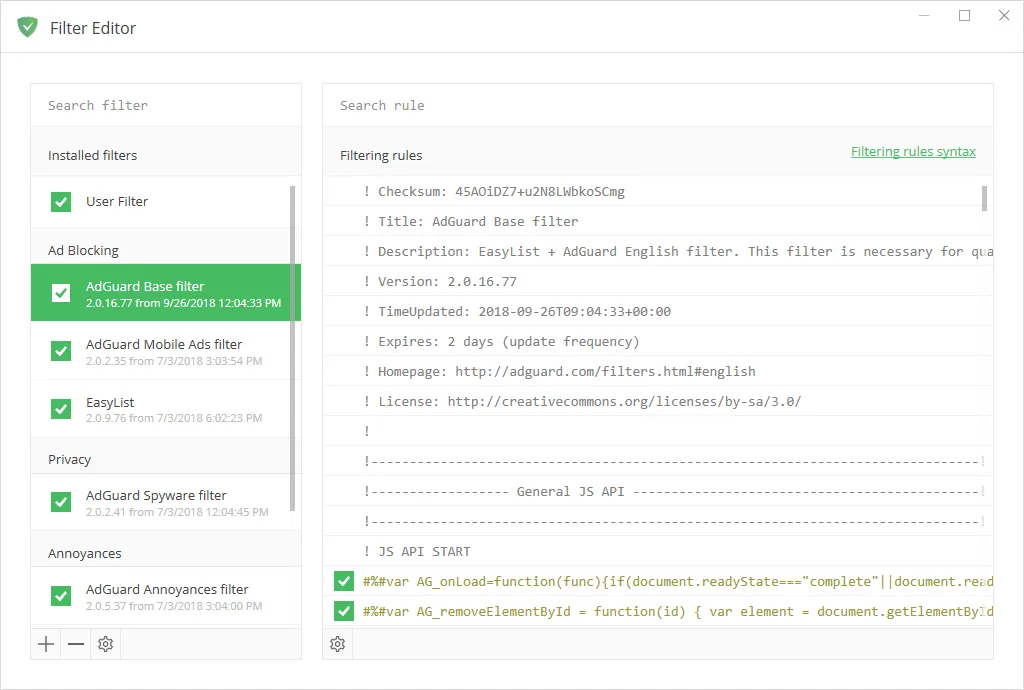
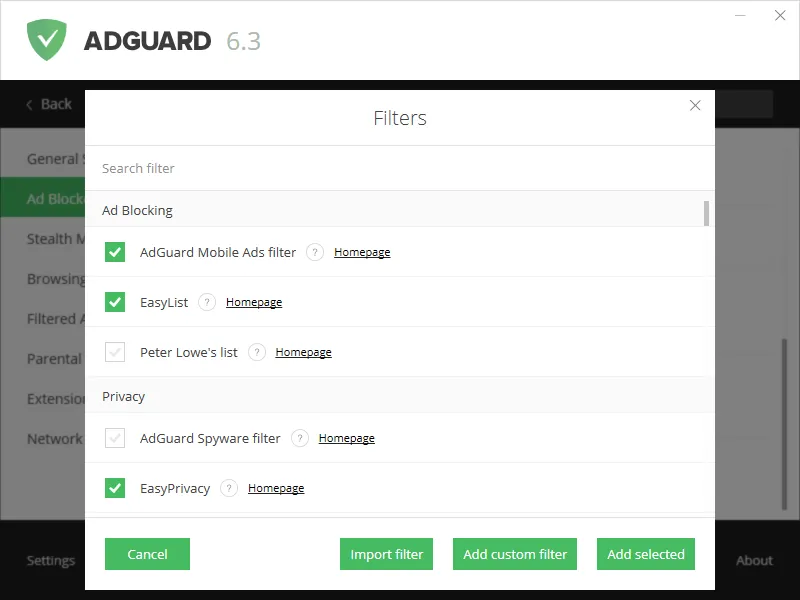
AdGuard isn’t just about aesthetics; committed to protecting user privacy in the digital environment. Using sophisticated filters and algorithms, the software effectively protects users from online tracking mechanisms and protects sensitive data from web analytics tools. This privacy-focused approach allows users to surf the Internet without compromising their privacy or being exposed to aggressive data collection methods. Its versatility is demonstrated by customizable filters that allow users to fine-tune ad-blocking options to create a personalized online environment. Whether it’s blocking certain types of content or setting rules for individual websites, It gives users a high level of control over their digital experience.
For parents concerned about their children’s online activities, AdGuard includes powerful parental control features. This feature allows parents to manage and restrict access to inappropriate content, creating a safer online environment for young users. Furthermore, It seamlessly integrates with popular web browsers through dedicated extensions, offering users the flexibility to use ad-blocking and privacy features without compromising their favorite browsing experience.
FEATURES OF ADGUARD
HIGH-DENSITY AD BLOCKER
AdGuard for Windows is best known for its effective blocking of pop-ups, video ads, banners, and other intrusive web elements in browsers and applications. The ad blocker works using constantly updated filters that accurately identify and block unwanted ads, so that users can see only the content they want. This background filter also includes a cosmetic treatment that cleans the screen of web pages without disrupting site functionality, which results in faster loading times and a smoother browsing experience.
SEARCH SAFETY AND MALWARE PROTECTION
Another key feature is comprehensive search security. AdGuard actively protects users from visiting phishing sites, fake pages, and malware-infected websites, comparing them against a constantly updated database of dangerous domains. When a threat is detected, AdGuard blocks access, warns users, and processes URL information using a hash prefix rather than the actual URL, offering a more secure internet experience without compromising privacy.
PRIVACY PROTECTING INCORPORATED MODE
The Incognito Mode module is designed to prevent all types of online tracking and data collection. It blocks third-party cookies, hides the user’s real IP address, disables browser fingerprinting, and prevents WebRTC leaks. This feature improves privacy by protecting sensitive data from trackers, ad companies, and analytics tools that track Internet activity, thereby preventing users from browsing anonymously and creating profiles.
PARENTAL CONTROLS AND WEB FILTER
AdGuard includes parental control options that allow users to block inappropriate content and websites, allowing children to browse safely. It filters out harmful content, removes adult content from search results, and allows parents to manage access through customizable block lists. This feature is essential for families who want to effectively monitor and limit the online activity of minors.
EXTENSIONS AND USER-SCRIPT MANAGEMENT
AdGuard supports integration with user scripts and user styles, allowing users to install and manage special scripts that improve or modify website behavior. Unlike typical script managers that work only in the browser, AdGuard implements these scripts system-wide and affects all browsers on the device. In addition, built-in extensions such as AdGuard Popup Blocker and AdGuard Assistant allow you to easily control web filtering and quickly manage blocking settings directly from the browser interface.
SYSTEM REQUIREMENTS
- Supported OS: Windows All
- Processor (CPUs): 1 GHz Processor or higher
- Memory (RAM): 1 GB of RAM or more required
- Hard Disk Space: 200 MB or more required