
qBittorrent is a free, open-source BitTorrent client that allows users to download and share files via a peer-to-peer (P2P) network. It features a clean, user-friendly interface and includes essential functions such as torrent searching, bandwidth management, support for “magnet” links, and remote control via a web interface. Designed as a lightweight alternative to other torrent clients, qBittorrent offers the core tools needed for file downloading—without any intrusive advertisements—making it an excellent choice for Windows and other operating systems.
OVERVIEW OF QBITTORRENT
qBittorrent is a free, open-source BitTorrent client designed to make the process of downloading and sharing files via peer-to-peer (P2P) networks simple and efficient. It offers an intuitive user interface that helps users manage multiple torrent downloads, monitor progress, and adjust upload and download speeds.
One of the key advantages of qBittorrent is the wide range of tools it includes. It supports magnet links, torrent files, sequential downloading, and bandwidth scheduling, and it also features an integrated torrent search function. Users can organize their downloads, assign priority levels to individual tasks, and maintain better control over their internet connection by limiting data transfer speeds. Furthermore, qBittorrent features a “Web User Interface,” which allows users to manage their downloads remotely via a web browser. It supports RSS feeds, IP filtering, and detailed connection settings, making it an excellent choice for users who want precise control over their torrenting activities.
Unlike many commercial alternatives, qBittorrent does not rely on advertisements to fund its operations. Its open-source development model ensures transparency and encourages participation from the user community. The software is compatible with Windows, Linux, and macOS, making it accessible to users across various platforms.
FEATURES OF QBITTORRENT
SIMPLE AND USER-FRIENDLY INTERFACE
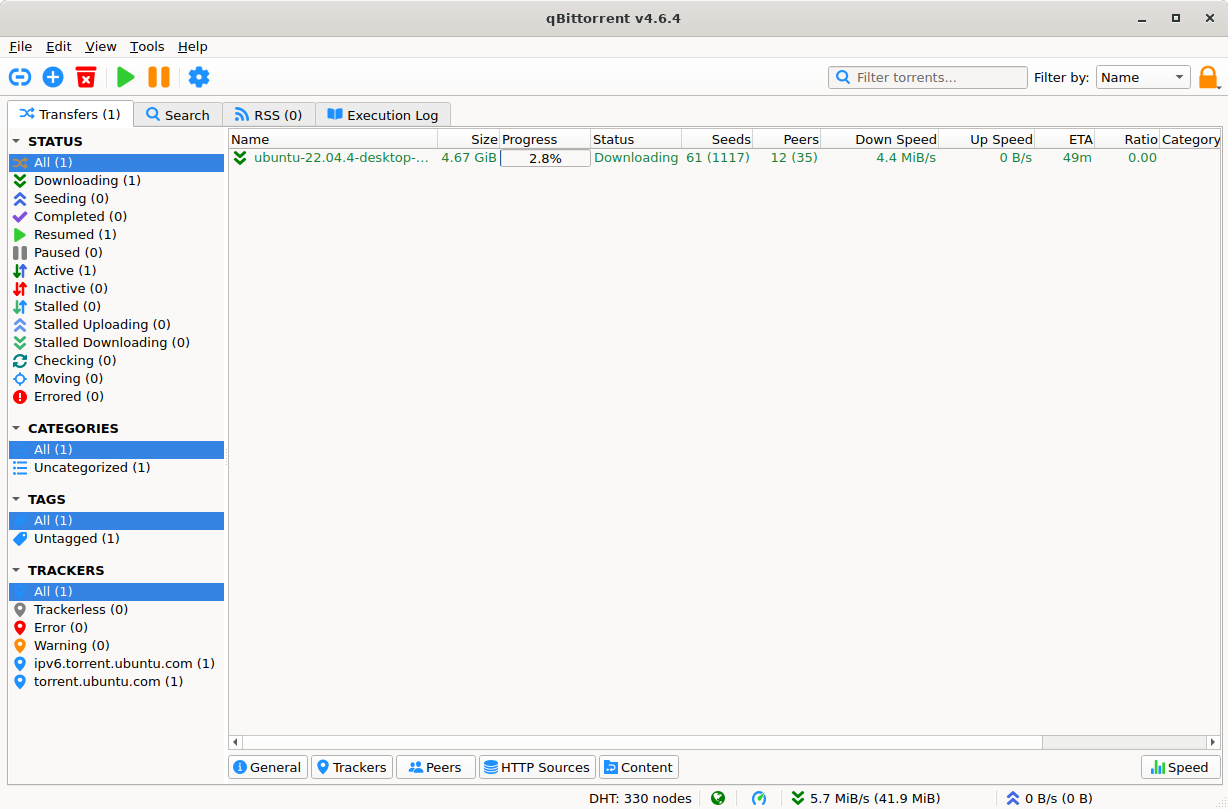
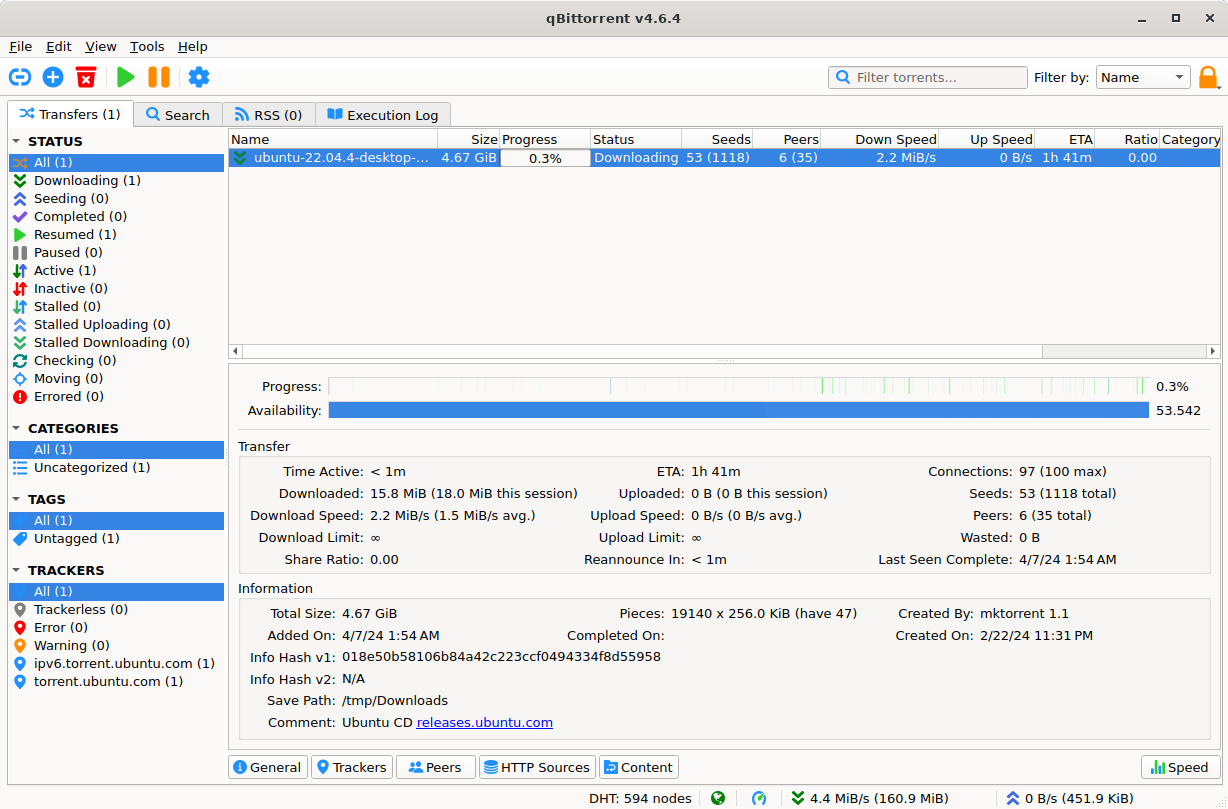
qBittorrent features a clean, intuitive interface that simplifies torrent management for both beginners and experienced users. The main window displays download progress, file size, transfer speeds, available peers, and the estimated time remaining. Users can quickly pause, resume, delete, or reorder torrents without having to navigate through complex menus.
FAST AND EFFICIENT TORRENT DOWNLOADING
This software supports the BitTorrent protocol and allows users to download multiple files simultaneously. When dealing with a large number of files, this connection method can increase download efficiency. Furthermore, users can manage several downloads at once, set their priority order, and monitor the progress of each individual transfer.
BUILT-IN TORRENT SEARCH ENGINE
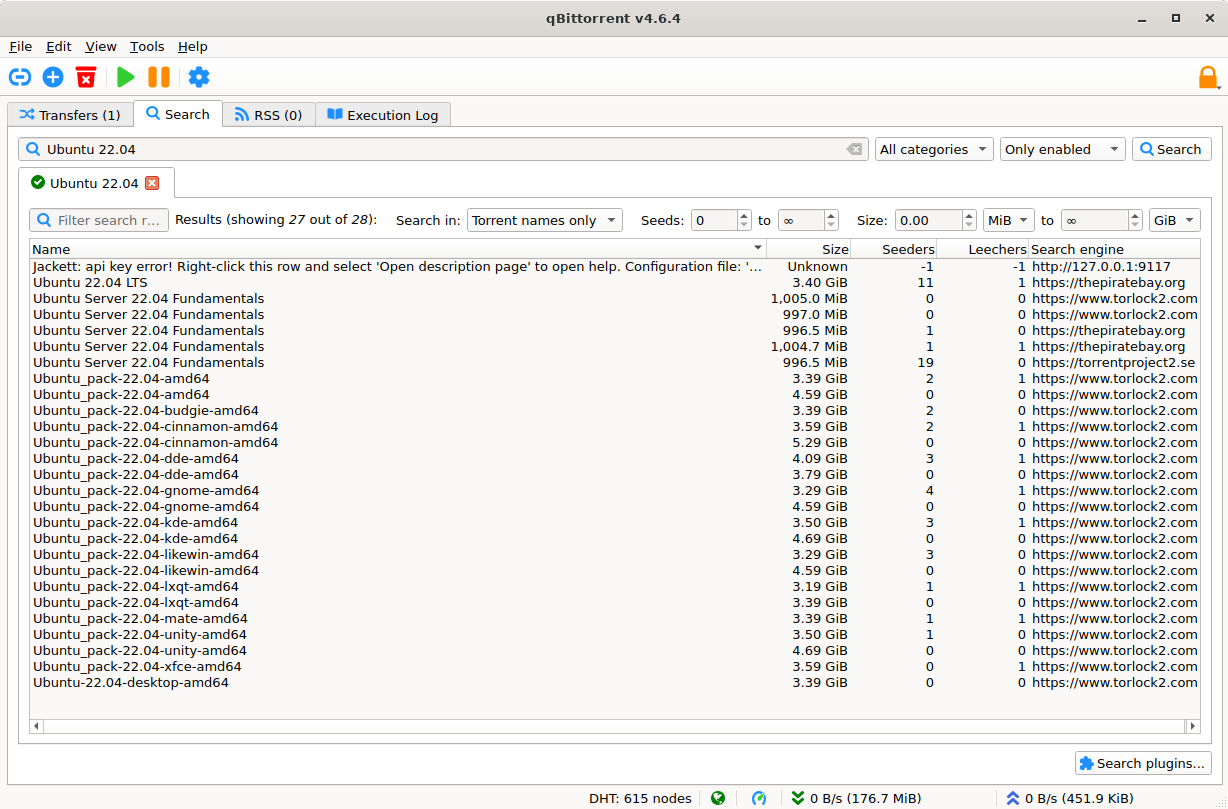
qBittorrent includes an integrated search feature that helps users find torrent files through supported search plugins. Users can search for specific content without having to manually visit multiple websites. Depending on user settings, the search feature may require the installation or configuration of compatible plugins.
MAGNET LINKS AND ADVANCED FILE MANAGEMENT
This application supports both traditional torrent files and magnet links, offering convenient ways to initiate downloads. Users can selectively choose files within a torrent, organize download locations, and—where supported—enable sequential downloading. These options help users manage storage space and prioritize the files they need.
BANDWIDTH CONTROL AND SCHEDULING
qBittorrent provides configurable upload and download speed limits to help users manage their internet connection. It also supports alternative speed limits and scheduling, allowing transfer speeds to be adjusted according to a specific timetable. These controls are particularly useful for managing file downloads.
REMOTE ACCESS AND ADVANCED SETTINGS
The built-in web user interface allows users to manage torrents remotely via a web browser. Additional features include support for RSS feeds, IP filtering, connection settings, and proxy configurations. These options provide greater flexibility for users who wish to customize their downloading experience while also monitoring network activity.
SYSTEM REQUIREMENTS
- Supported OS: Windows 11/10/8.1/7
- Memory (RAM): 1 GB of RAM or more is required
- Hard Disk Space: 100 MB or more required